


TECHINDUSTRIYA is a niche B2B marketplace for sheet metal processing equipment. Its target audience is manufacturing companies in industrial regions across Russia, as well as in Belarus and Kazakhstan. The marketplace owner also sells on the platform as one of its vendors.
Industry: manufacturing Country: Russia
The client needed a marketplace with full B2B functionality: transparent pricing, up-to-date stock levels across vendor warehouses, expert guidance when choosing equipment, and automated procurement.
We built it on CS-Cart Multi-Vendor with customization for the industry: multi-seller orders, document workflow (invoices and shipping documents), multi-currency product uploads, and engineering calculators for equipment selection.
01 Build a B2B marketplace on CS-Cart Multi-Vendor with multi-seller support.
02 Adapt the catalog interface to the industry.
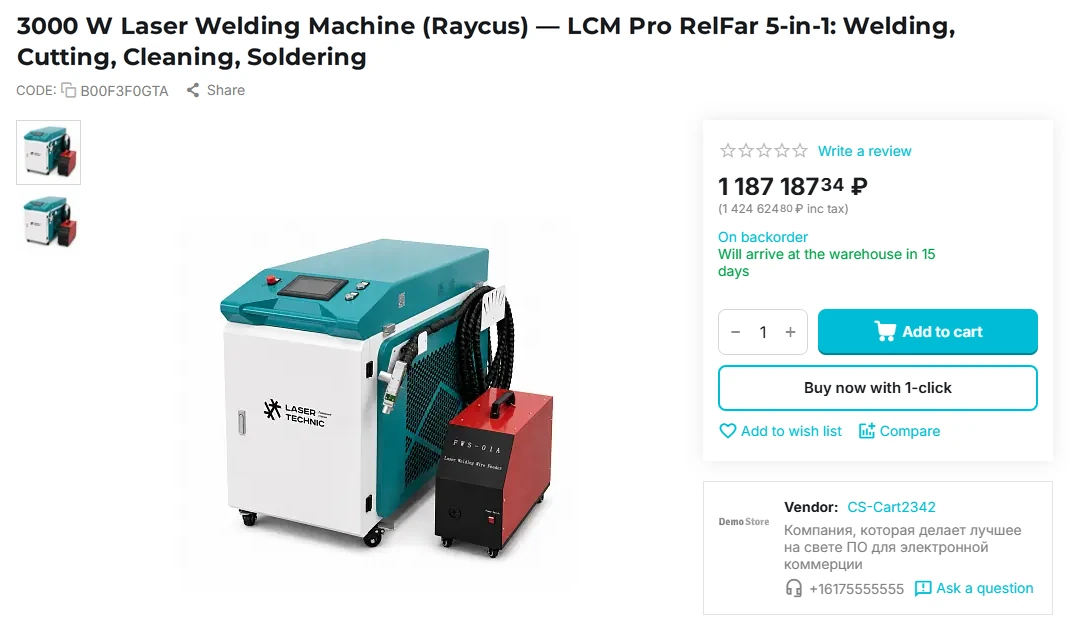
03 Show buyers up-to-date stock and delivery info, including for pre-order items.
04 Build tools to monitor seller quality.
05 Automate order document workflow.
Next: how we met these objectives.
8 custom features, from engineering calculators to a vendor comment log.
We started with a detailed requirements analysis, UX design, and a specification for the custom features. This fixed the scope and logic of every custom add-on before development began.
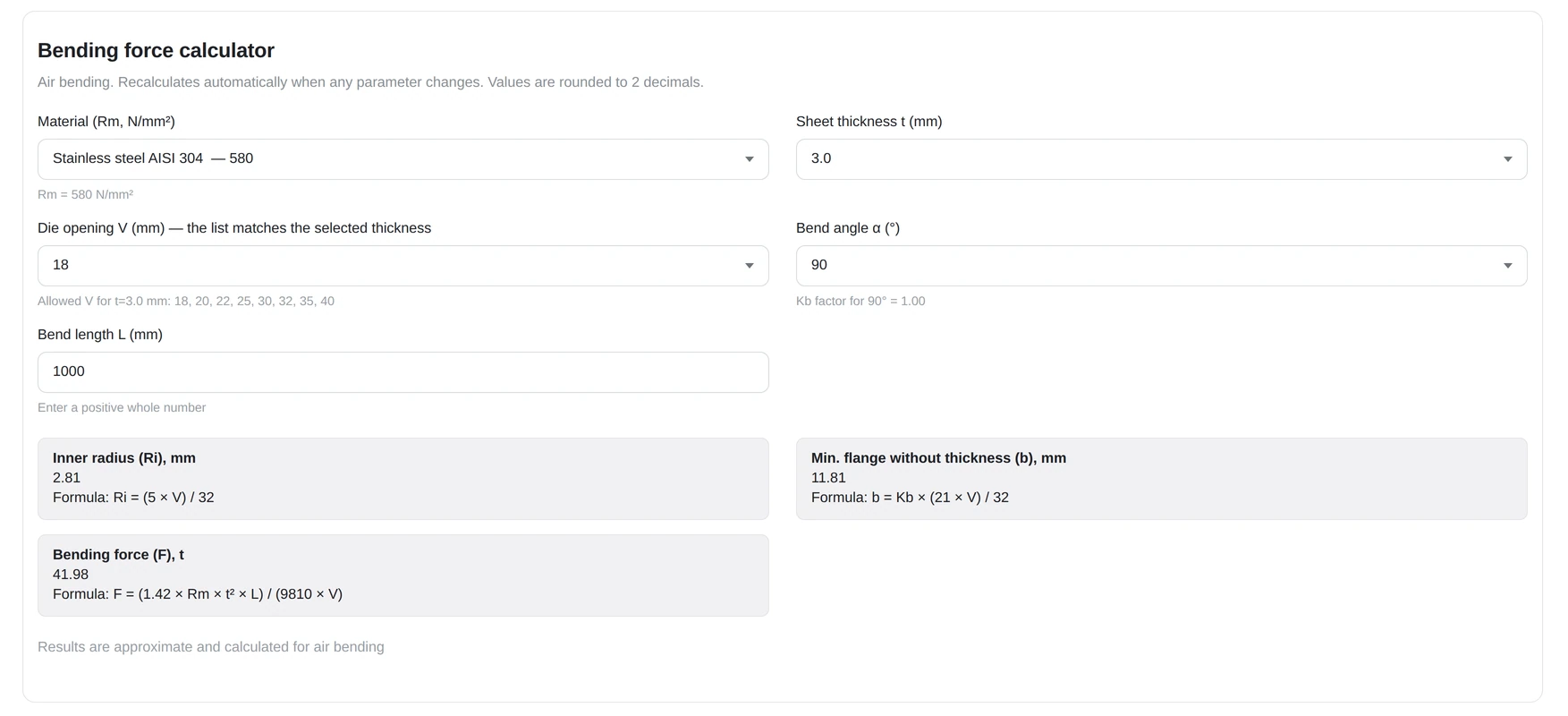
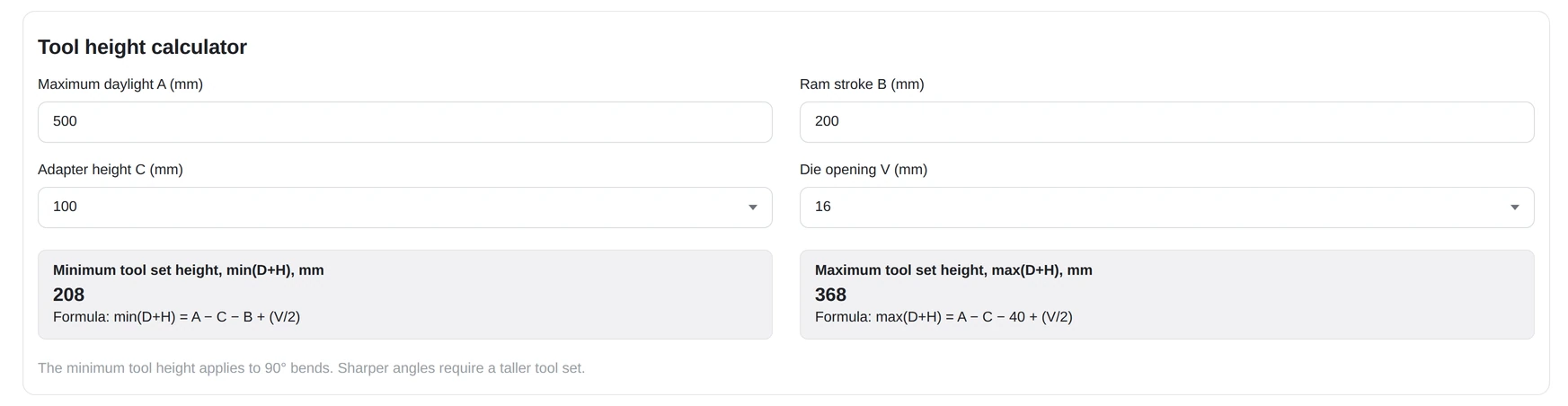
We added a bending force calculator and a tool set height calculator that take into account material grade, thickness, bend angle, and clamping type.
Choosing the right tool for a specific job is hard, and a calculation error means buying the wrong product, extra costs, and time spent on returns. The calculators remove this difficulty before checkout, with no need to call a manager. When the page first loads, the fields show default values, and results update whenever any parameter changes.
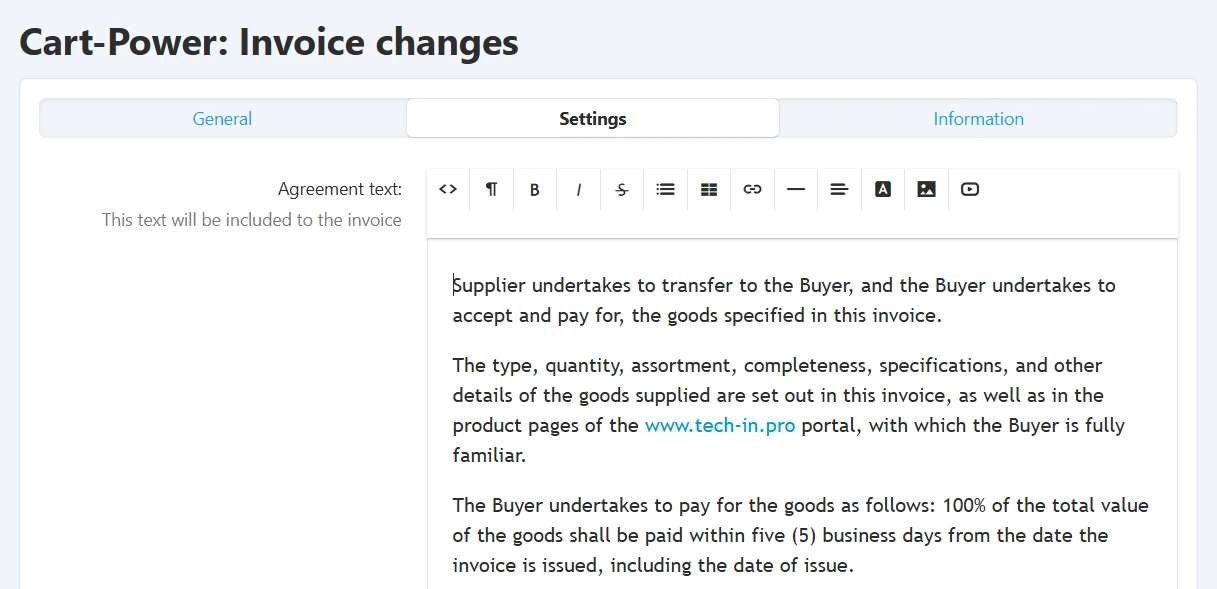
We extended the invoice add-on. In the settings, admins can define text that is automatically added to every invoice, such as payment terms or the public offer.
Every marketplace order comes with a set of billing and shipping documents: invoices, delivery notes, and UPDs, a standard Russian document that combines a VAT invoice and a delivery note. Out of the box, these could only be sent manually, outside the platform. We developed an add-on that builds document handling right into the order page.
Single document storage
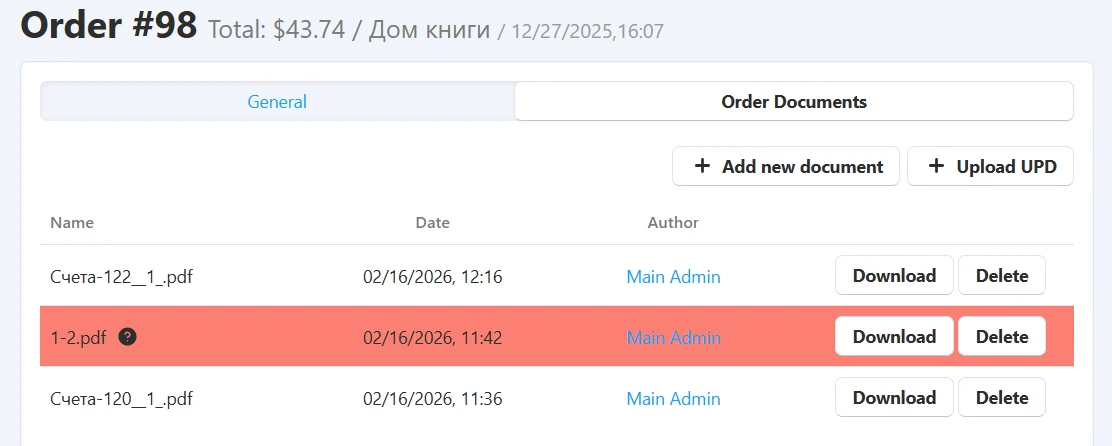
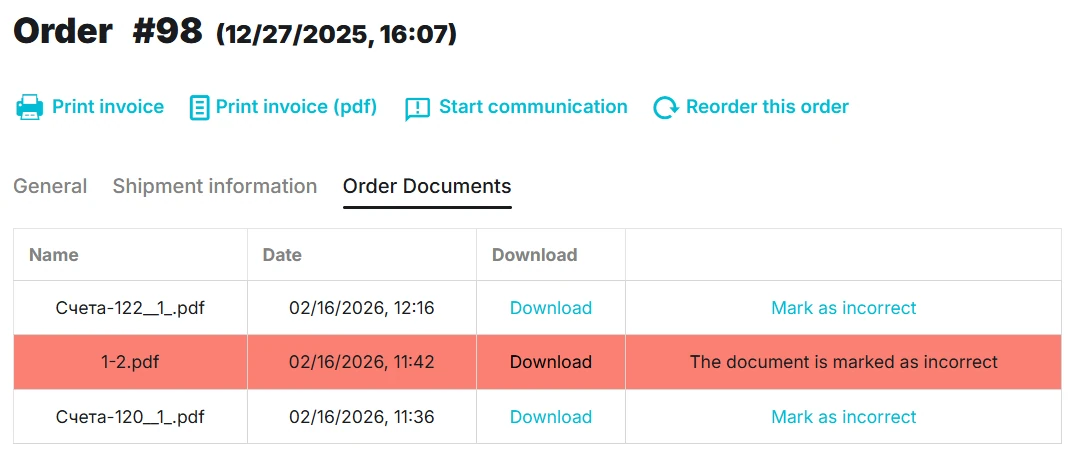
Admins and vendors upload, download, and delete files right on the order page. On the storefront, buyers can view the list and download files.
Buyers can flag incorrect documents
A buyer flags a document with an error using a button on the storefront. The file is highlighted in the admin and vendor panels, and both receive a notification naming the file.
Order status linked to shipping documents.
When a vendor creates a shipment and uploads the shipping document, the order automatically moves to Completed. Subsequent uploads for partial shipments work the same way. The system distinguishes regular files from legally binding shipping documents, so uploading a regular file never changes the order status by accident.
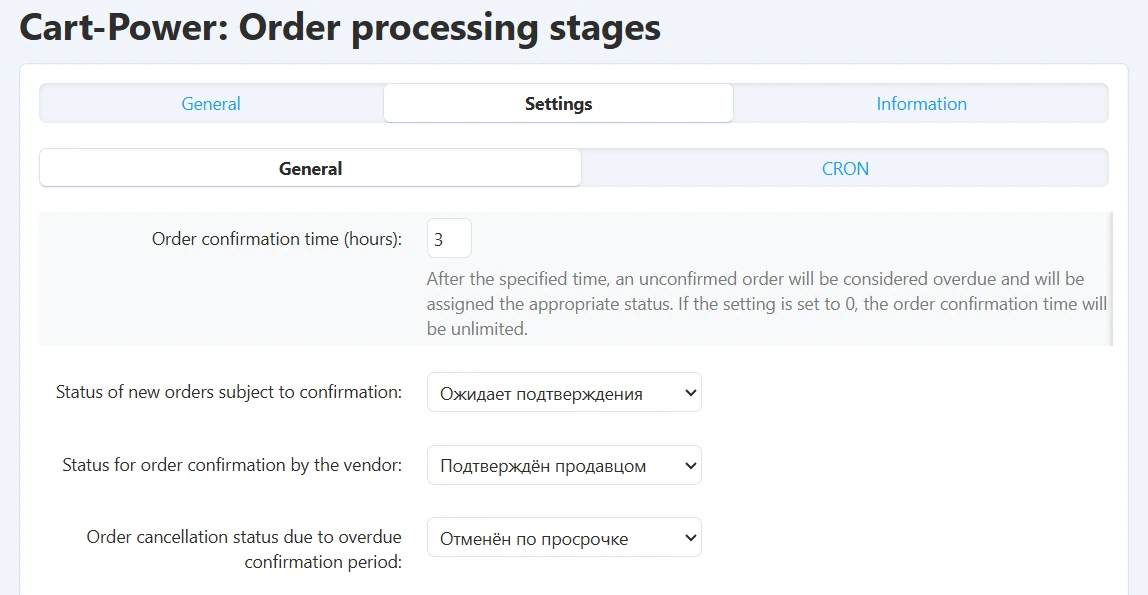
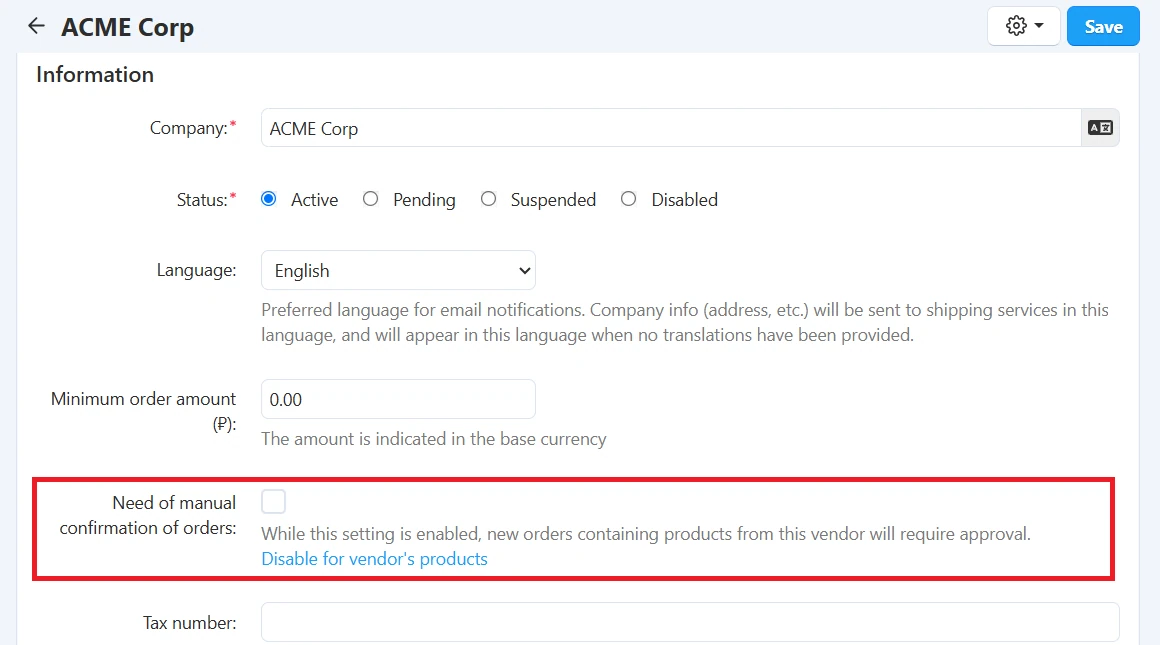
The add-on inserts a separate stage into the standard order flow. For selected products or vendors, an order automatically waits for confirmation, with a clear deadline and automatic cancellation if it expires, so admins do not have to track it manually.
Confirmation can be required for a vendor’s entire catalog or for individual products.
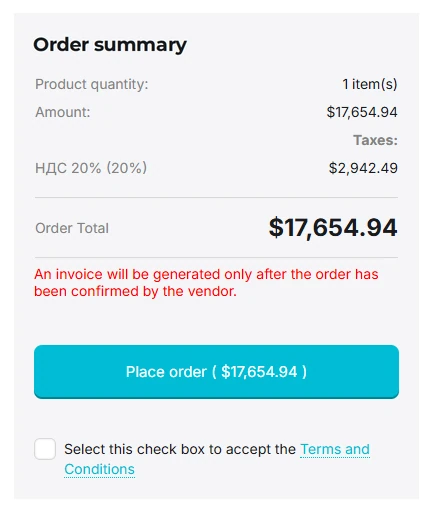
Buyers see this on the product page and at checkout, next to the order total.
Each order has a set confirmation time limit.
On confirmation, the system generates a PDF invoice, saves it to the order documents, and attaches it to the buyer’s email.
Some products are periodically out of stock but remain available: buyers order in advance, and the items are delivered later. Vendors can now clearly state the expected restock date.
The lead time can be set for all of a vendor’s products or for a specific product. The product-level value takes priority.
The lead time appears only for pre-order items and does not affect the rest of the catalog. Buyers see it before checkout and can decide whether they are willing to wait.
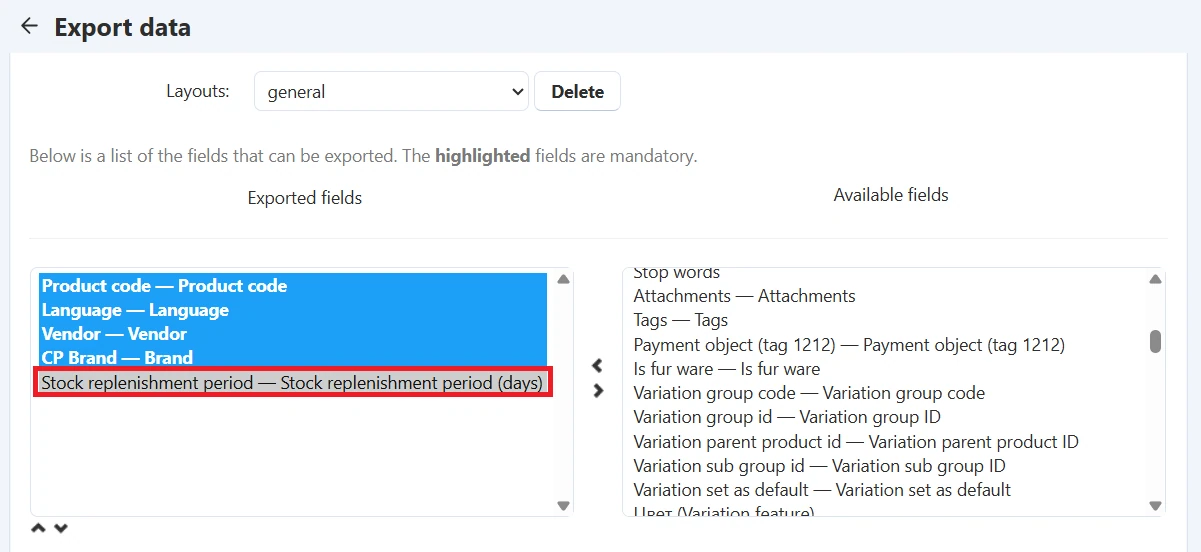
The restock period is a separate field in the import and export feed, so hundreds of products can be updated with a single file upload.
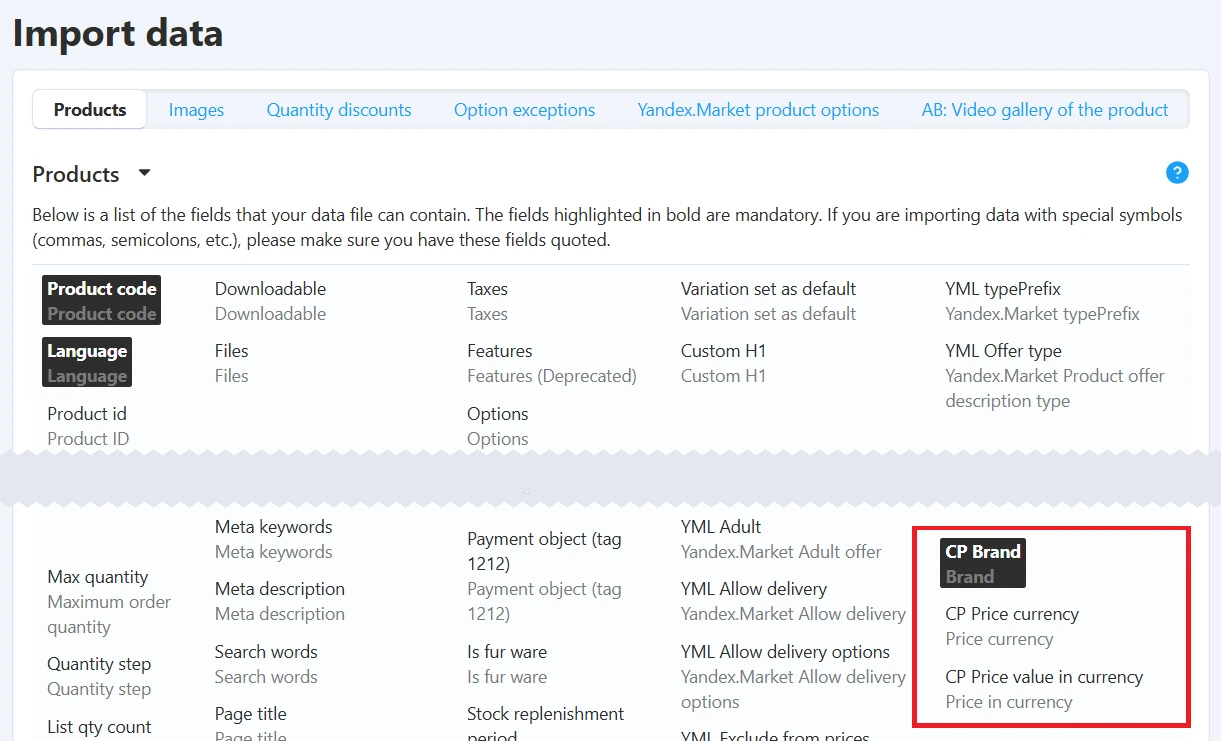
We extended the standard CS-Cart import to create an end-to-end process: from uploading a feed with prices in any currency to showing the correct tax-inclusive ruble price on the storefront, with no manual work from managers.
Supplier’s currency. Brand, currency, and the price in that currency were added to the import schema, so products load straight from a price list.
Automatic currency creation. If a currency is missing from the store, the add-on creates it and fetches the exchange rate without admin involvement.
Flexible matching. A currency can have several identifiers, so feeds from different suppliers are recognized correctly.
Reliable identification. Products are matched by product code, brand, and vendor, which prevents duplicate listings.
Exchange rate updates. A cron job syncs exchange rates and recalculates ruble prices, so the storefront always stays current.
Taxes and Excel feeds. Prices exclude tax in the admin panel and include it on the storefront. The import accepts XLS and XLSX files and detects headers automatically.
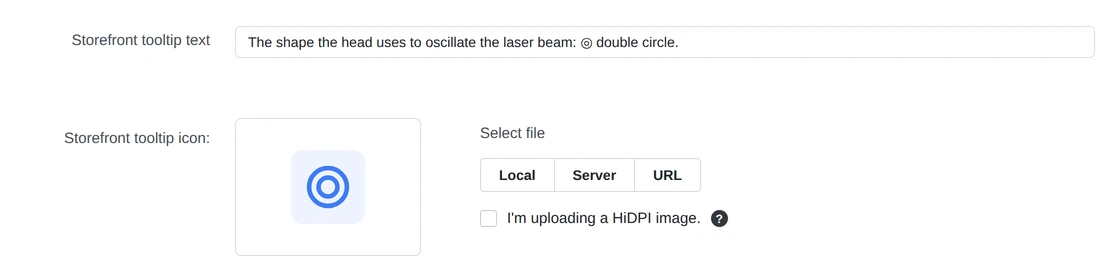
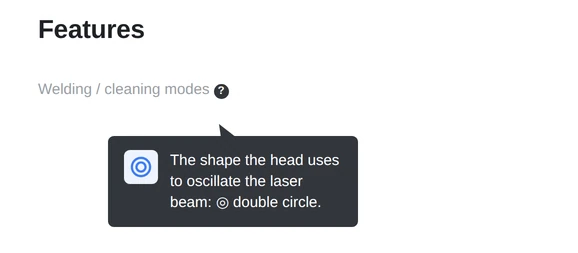
For specifications that are hard for non-specialists to understand, we added tooltip icons with text and an explanatory image. Admins set the icon and text once for all products that use the feature. If the text is empty, the icon is hidden, so no blank tooltips appear on the storefront.
The tooltip appears next to the feature name everywhere: in the product grid, on the product page, and in other blocks that show product features.
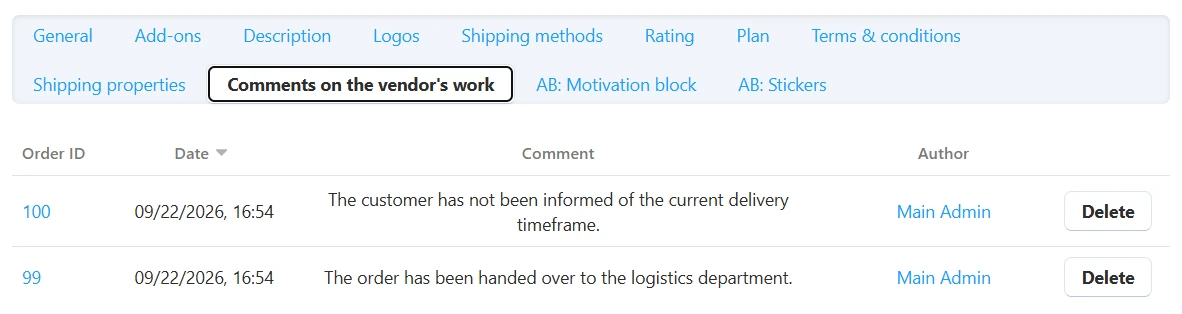
Marketplace admins need to track how vendors handle orders and whether there are any complaints. The add-on separates and structures order comments.
Separate fields. Vendors keep their own notes, and a separate Admin notes field was added to evaluate vendor performance.
Vendor log. All comments are collected on the vendor’s page under the Vendor performance comments tab.
Access control. Only admins with the appropriate privilege can edit or delete comments.
Full event log. All edits and deletions are logged, providing a clear history for resolving disputes.
Create your fast scaling marketplace easily. Integrate with CRM, Ebay, or Amazon. Sell anything on the website, on social media or in person.

Share your idea and we’ll offer an optimal solution