

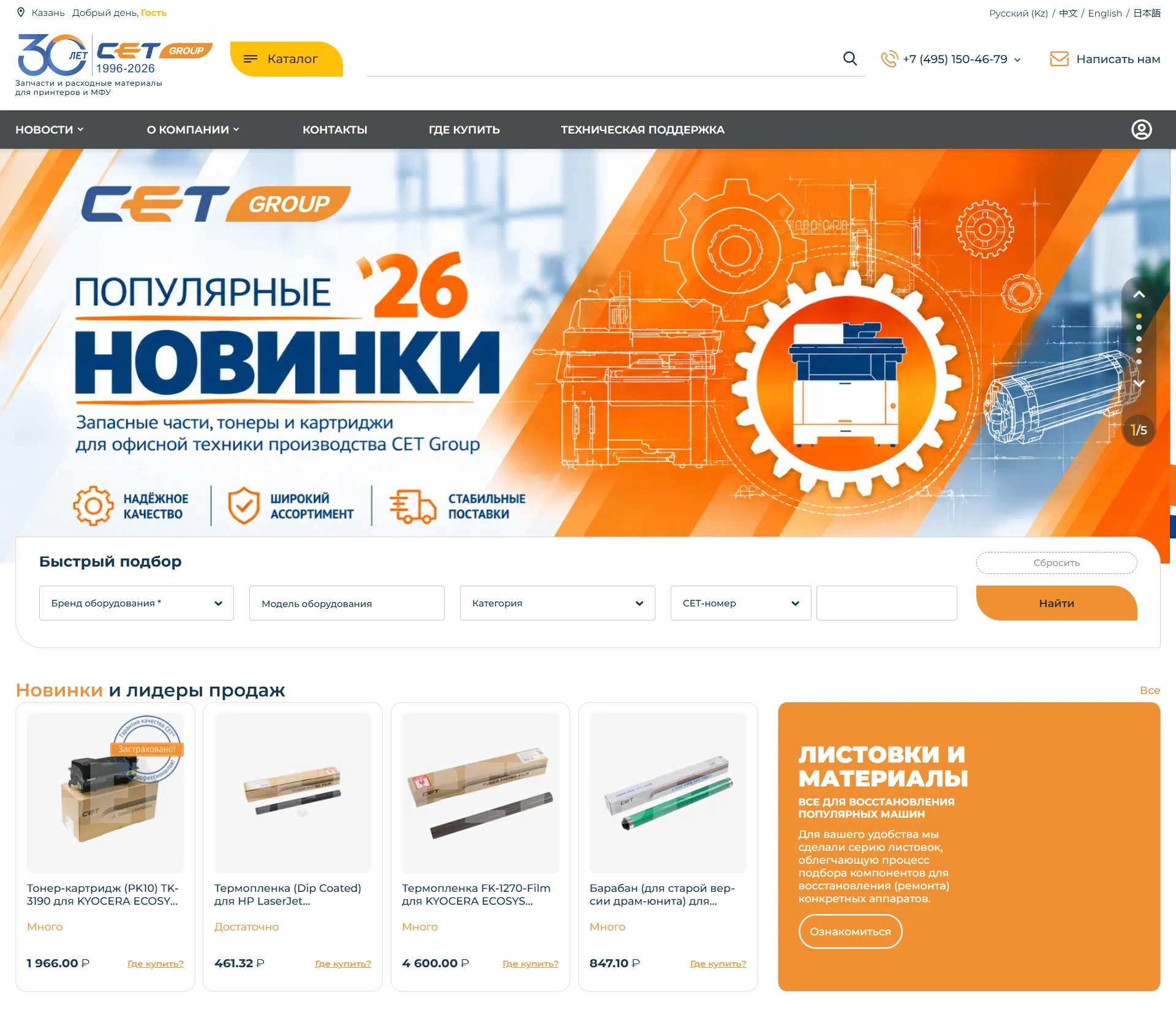
CET Group is an international manufacturing company founded in China in 1996. Today, it is one of the largest manufacturers and suppliers of spare parts and consumables for printers and multifunction devices: toners, toner cartridges, chips, drum units, drums, fusers, repair kits, fuser films, and more than 3,000 other items for Brother, Canon, HP, Kyocera, Konica Minolta, Ricoh, Xerox, and other brands.
Field: printing equipment manufacturing Country: Russia Website: cetgroupco.ru
The website ran on CS-Cart Standard 4.5.1, a version that no longer supported modern add-ons, themes, or security requirements. It was no longer possible to develop functionality on this version, and every new change made future upgrades more difficult.
At the same time, the business did not need a standard online store, but a manufacturer’s showcase with a partner network. The key feature of the business is that CET Group does not sell goods directly to end customers. The website works as a manufacturer’s showcase, while the order is placed with a dealer partner. Therefore, the customer needs to understand which dealer and in which city has the required spare part.
01 Update the platform from CS-Cart 4.5.1 to the latest version and move the website to AB:UniTheme2 while preserving data and functionality.
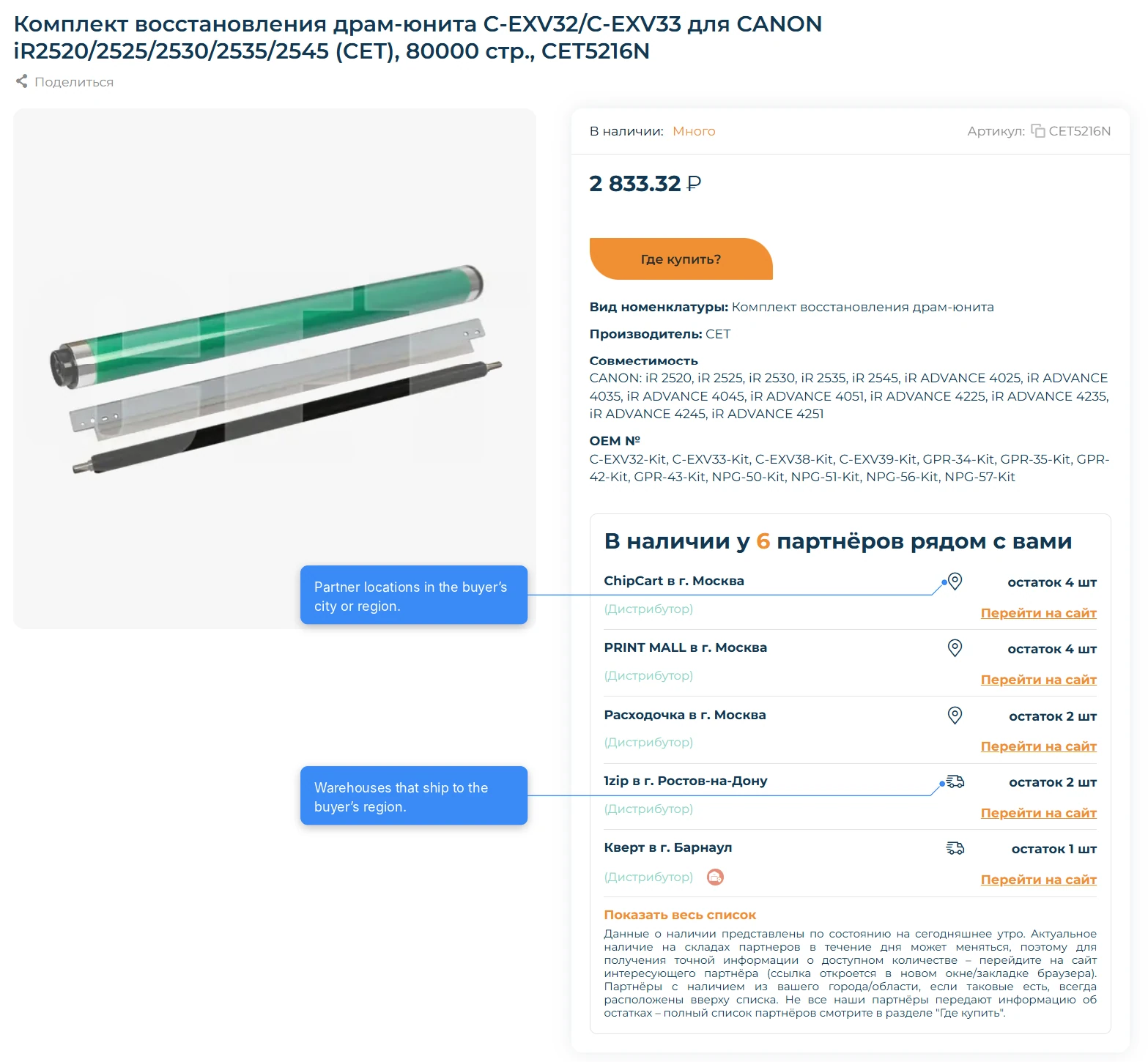
02 Implement display of product stock at partners’ warehouses, taking the customer’s city into account.
03 Add notifications about product arrivals at partners’ warehouses.
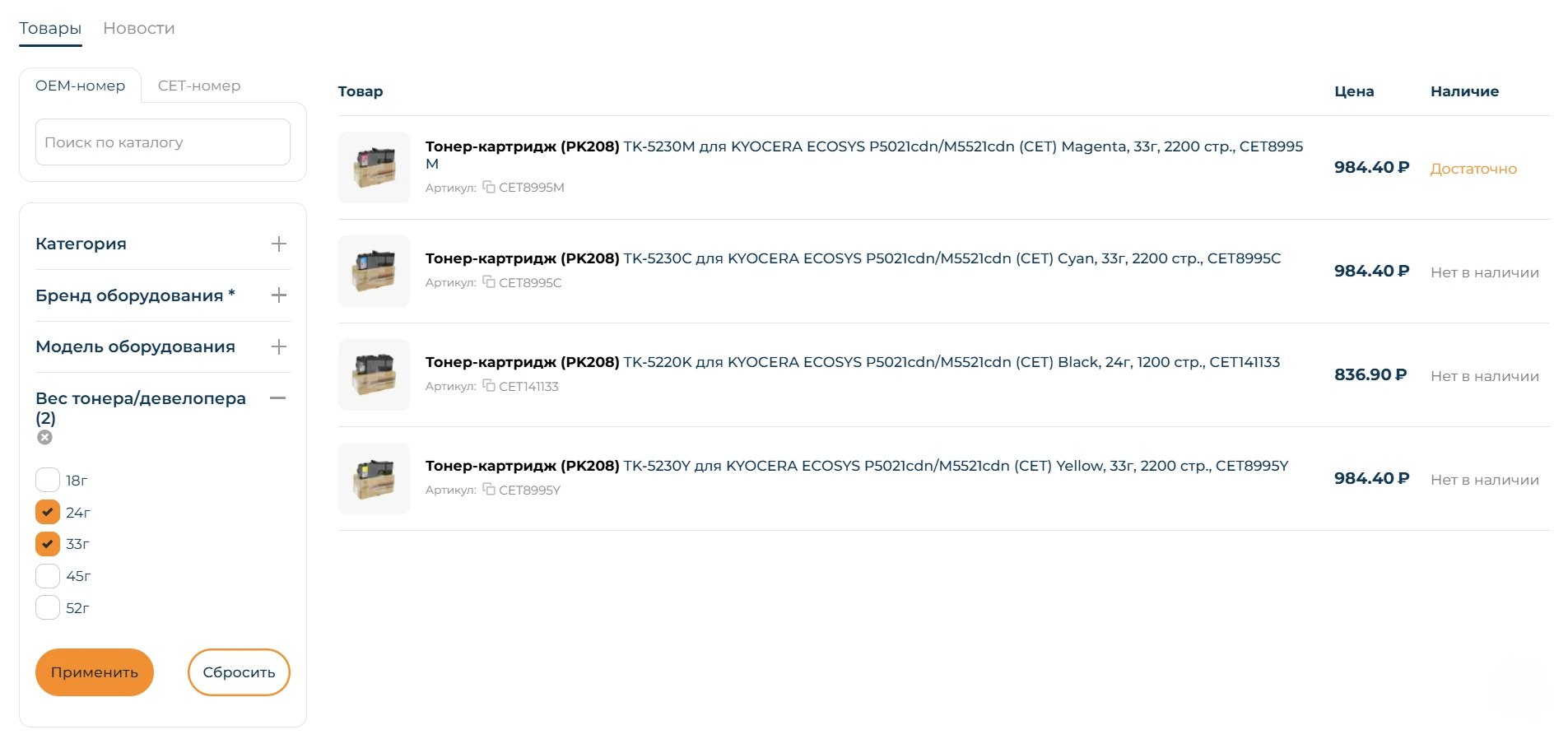
04 Simplify product selection by improving filters and redesigning the search results page.
05 Add a useful materials block to the product page and tools for bulk data upload.
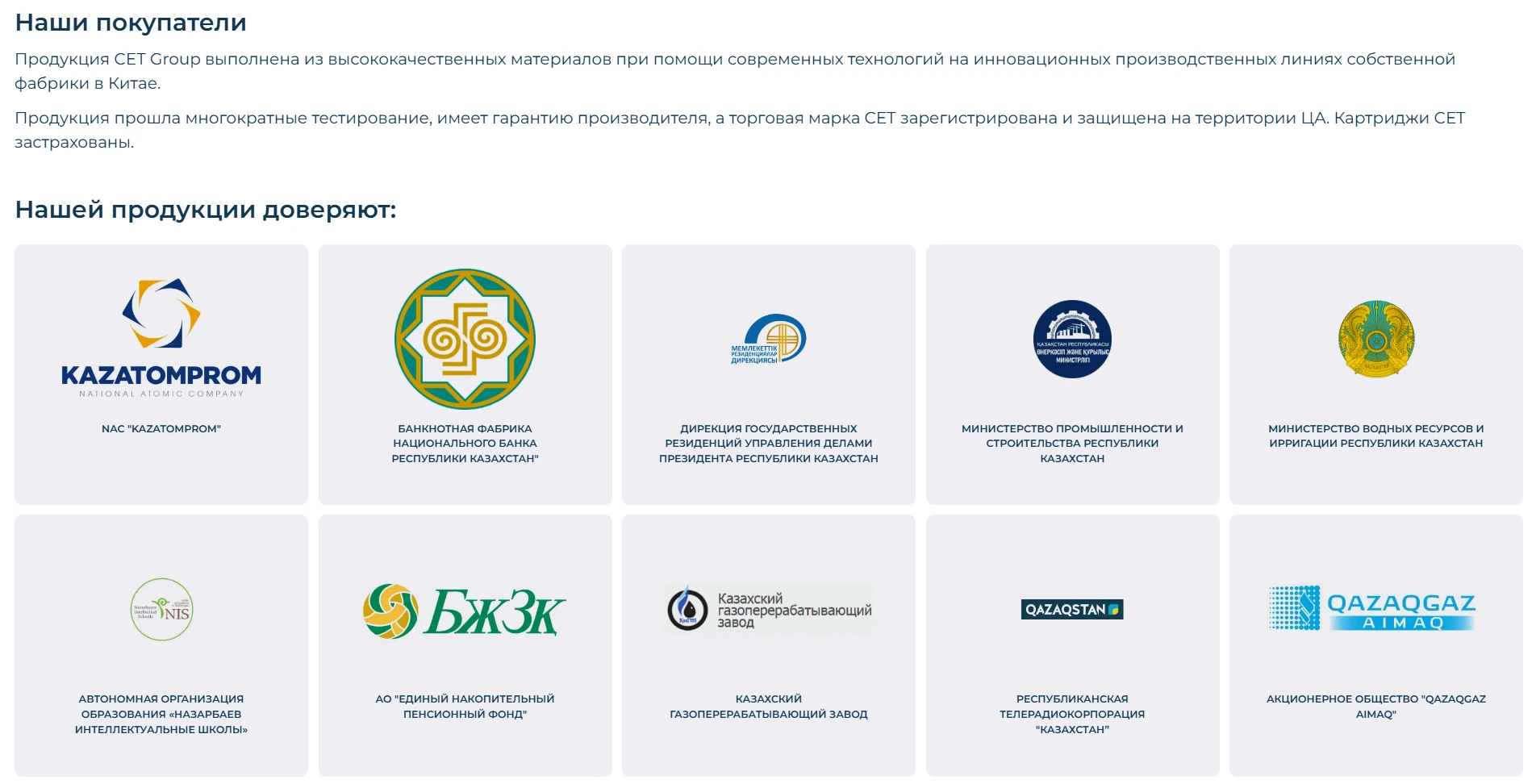
06 Rebrand the Russian and Kazakh websites and add the “Our customers” section.
07 Fix technical SEO issues and check the website for vulnerabilities.
We have updated the website from CS-Cart Standard 4.5.1 RU to version 4.18.2 SP1. The gap between the versions was large, so the work was done in stages and on a demo copy deployed on our server. The scope included:
Later, we additionally updated the website to CS-Cart 4.20.1.
CET Group does not sell directly to end customers: the order is placed with a dealer partner. That is why the main question for a visitor is not “how much does it cost,” but “which partner near me has it right now.”
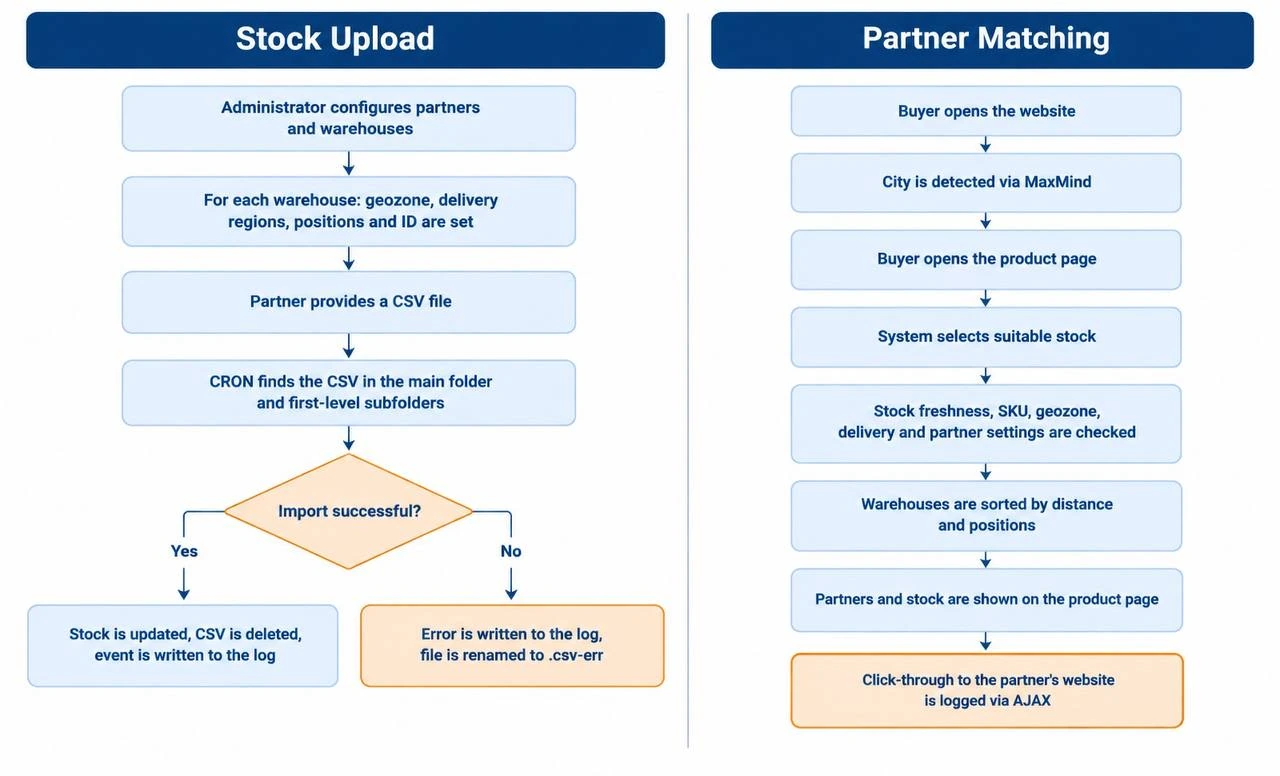
CS-Cart does not have a ready-made solution for this logic, so the add-on was developed from scratch. The functionality combines partner and warehouse settings, automatic stock import, customer geolocation, and display of available products on the product page. The overall workflow is shown in the diagram.
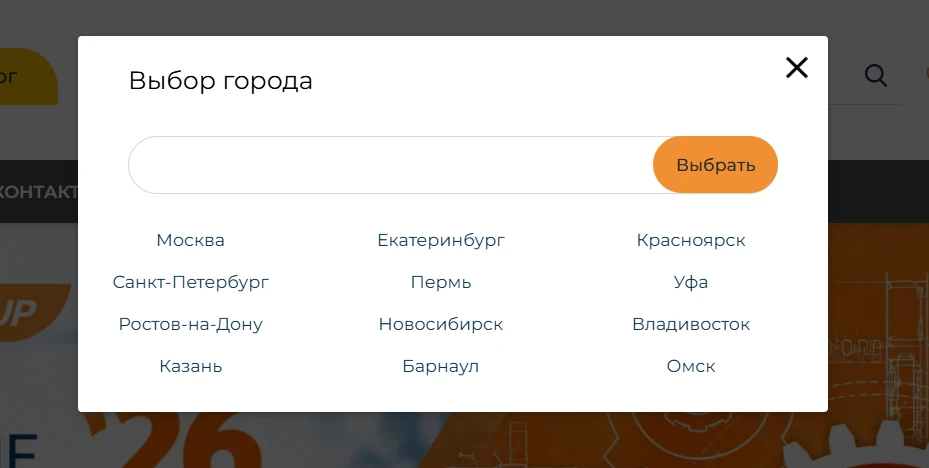
On the first visit, the system determines the customer’s city through MaxMind and asks them to confirm it. If the city is detected incorrectly or geolocation is unavailable, the customer can choose a city manually from a list of popular cities or use Yandex autocomplete search.
The selected data — country, region, city, and IP address — is stored in the session and used to match warehouses. The list of popular cities is configured by the administrator in the control panel.
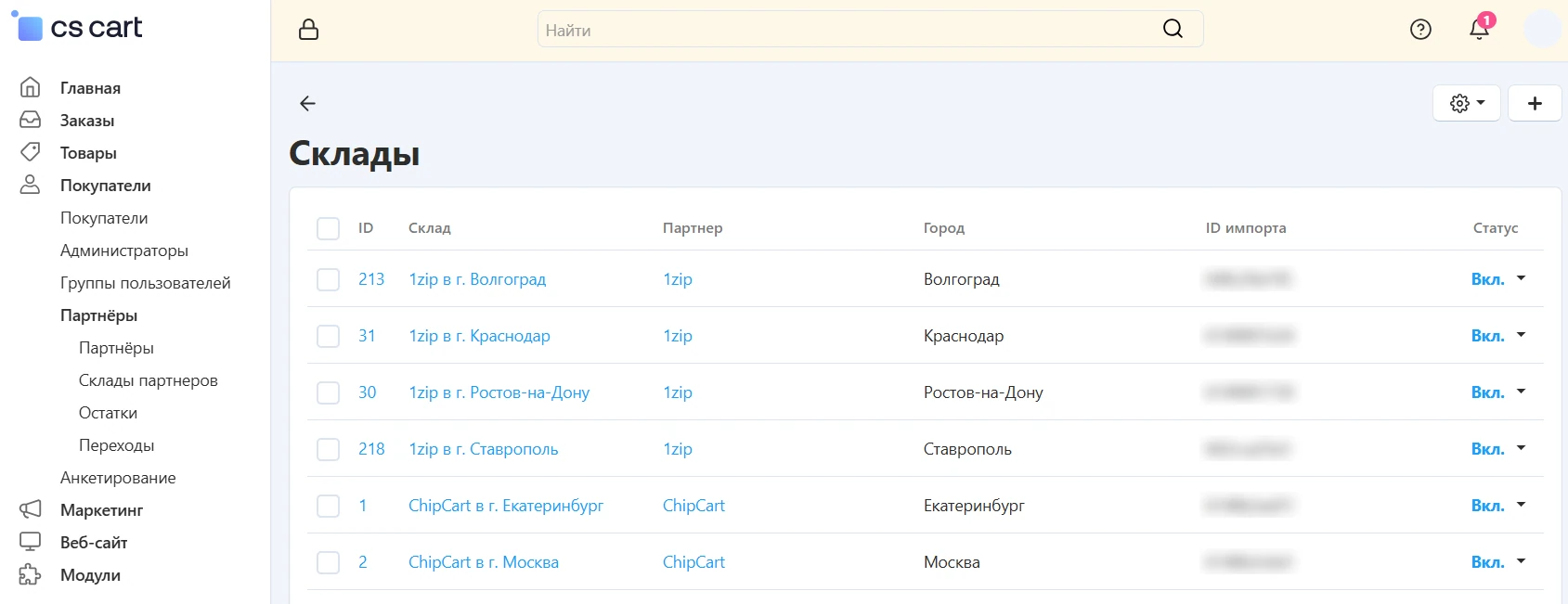
The “Partners” entity was redesigned: geographic data was moved to the warehouse level, because one partner may operate through several warehouses in different regions. Two settings were added for partners:
The new “Partner warehouses” entity contains information about a specific location: partner, name, location, position in results, and delivery regions. Each warehouse is automatically assigned a unique identifier used when importing stock.
On the product page, the partners who have current stock for the required SKU are shown. The system takes into account the partner settings:
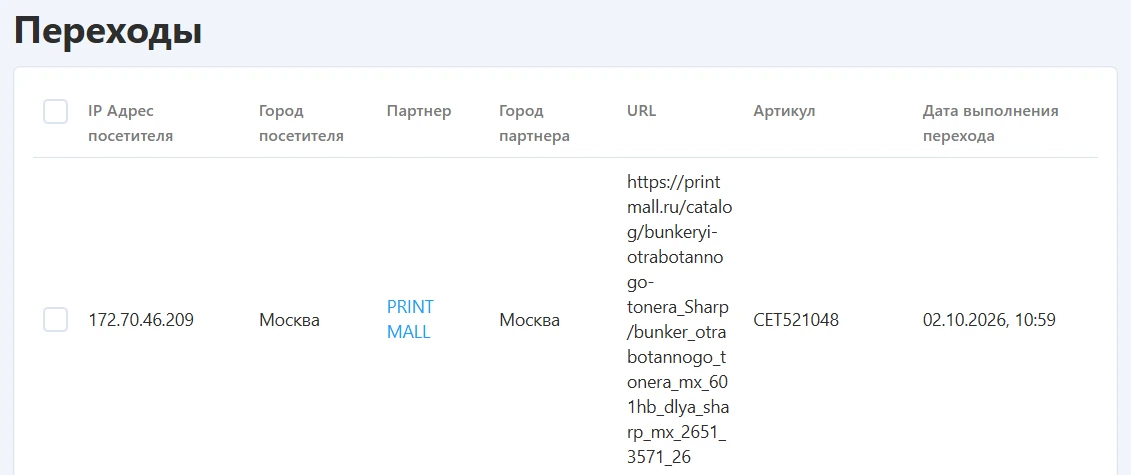
Stock older than 24 hours is not shown. Warehouses are sorted by priority: first the locations in the customer’s city or region, then warehouses that deliver to the customer’s region, and then federal distributor warehouses. From the product page, the customer can go to the product page on the partner’s website. The transition is tracked in the system..
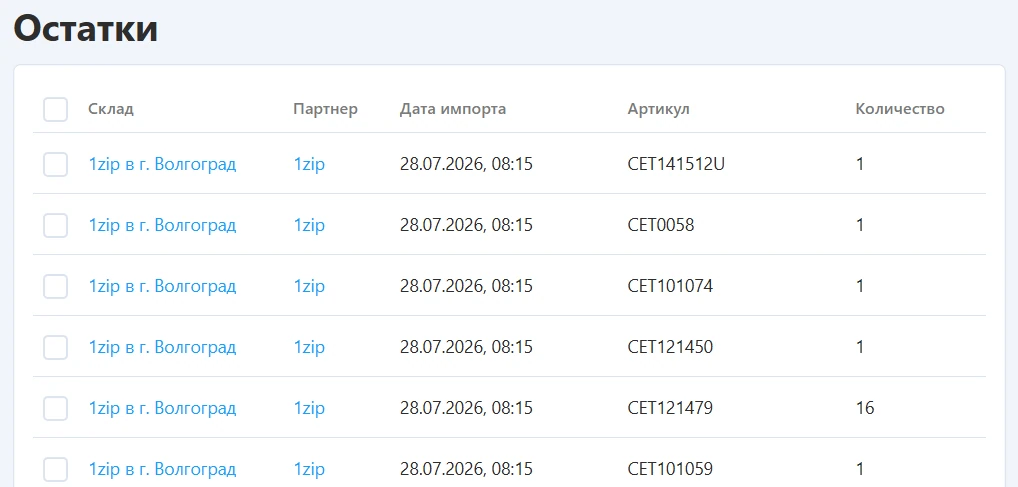
Partners send CSV files with the warehouse identifier, SKU, quantity, and product link. A CRON script automatically processes the files, updates stock, and writes the result to the event log.
Successfully processed files are deleted. If an error occurs, the file gets the .csv-err extension, and the issue is saved in the log. A separate daily script removes records older than 48 hours.
To monitor the feature, the admin panel now includes two sections::
As a result, the manufacturer gets not only up-to-date stock information from dealers, but also demand data: which products interest customers, from which regions they click through, and which partners they contact.
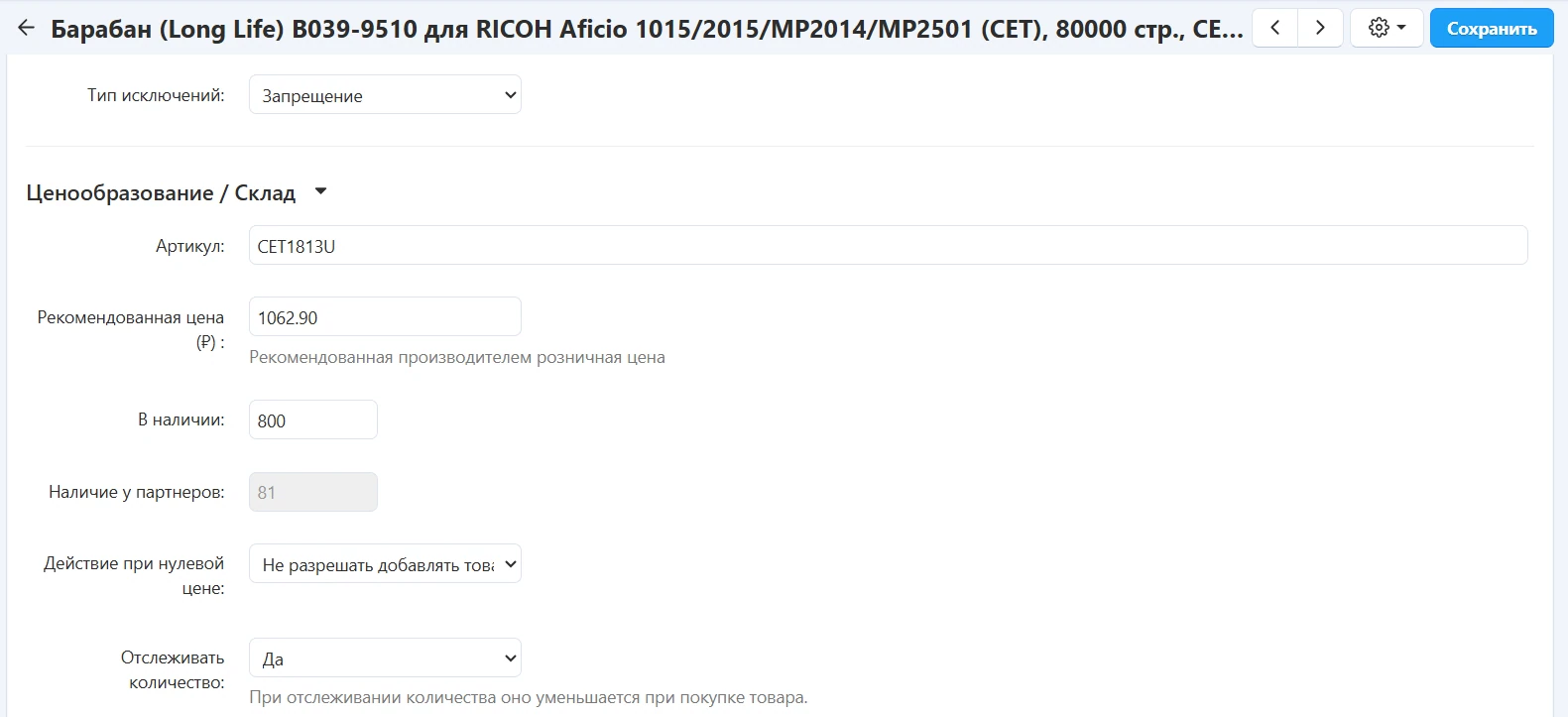
Based on the stock add-on, we created a separate notification add-on. The product now has a new “Partner availability” field — the total quantity for the SKU from the partners’ stock table. The value is updated automatically when the stock table changes and is recalculated if the product SKU changes.
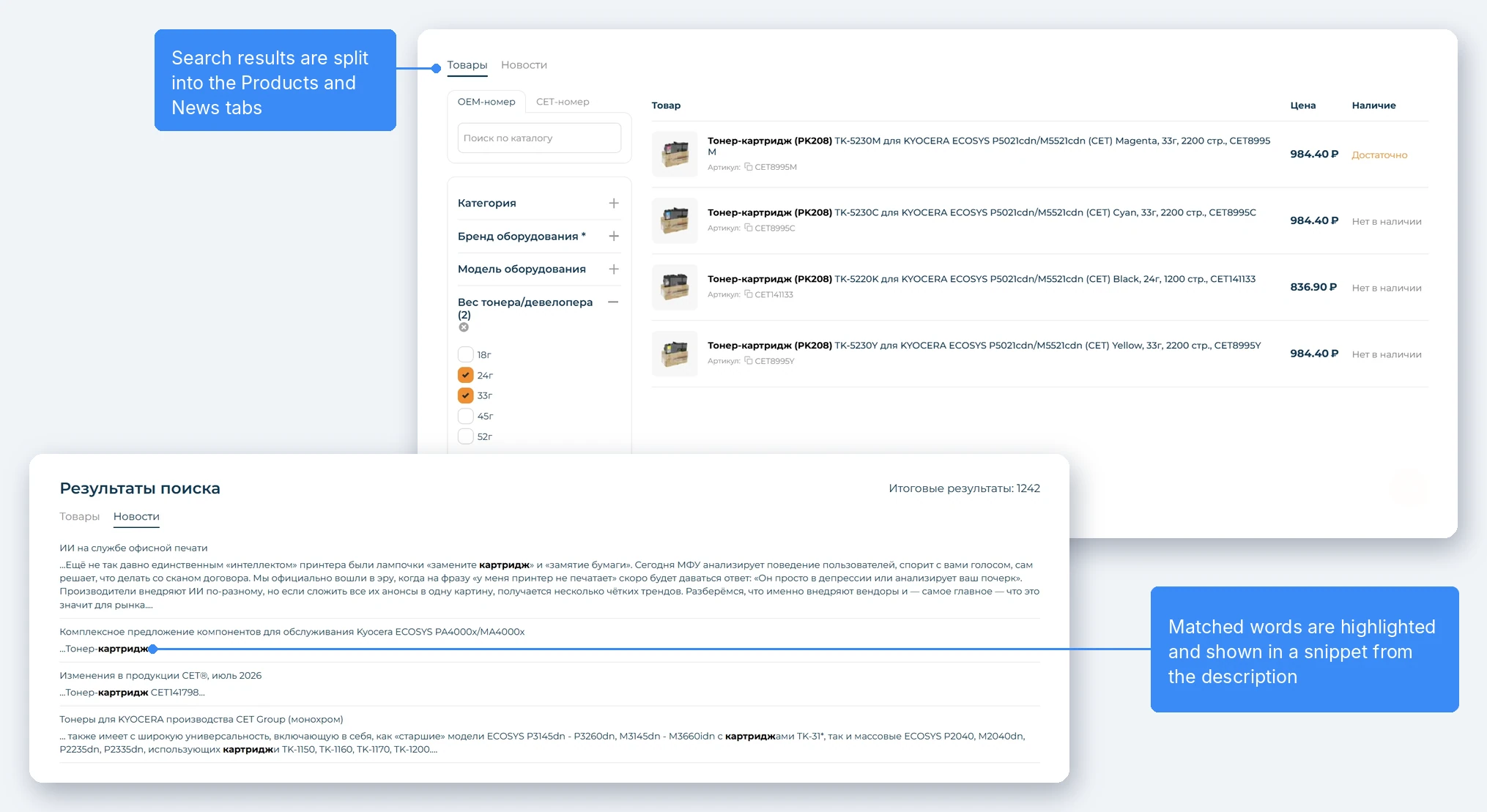
The search page was redesigned and the results were split into Products and News tabs.
The add-on was built as a dependency of the live search add-on, so the results page works using the same algorithms as the search suggestions.
The “Products” tab. Results are split into two blocks: the main list using the exact phrase algorithm and the “You may be looking for” block using the “all words” and “any words” algorithms.
The “News” tab. Search works across blog article titles and descriptions, found words are highlighted, and a matching excerpt is shown from the description. Articles are sorted by creation date.
On the search results and quick selection pages, we added the ability to filter by product category in the feature filter. Now the customer can narrow the results by both category and features at the same time, which is important for a catalog where the same part appears in different product groups.
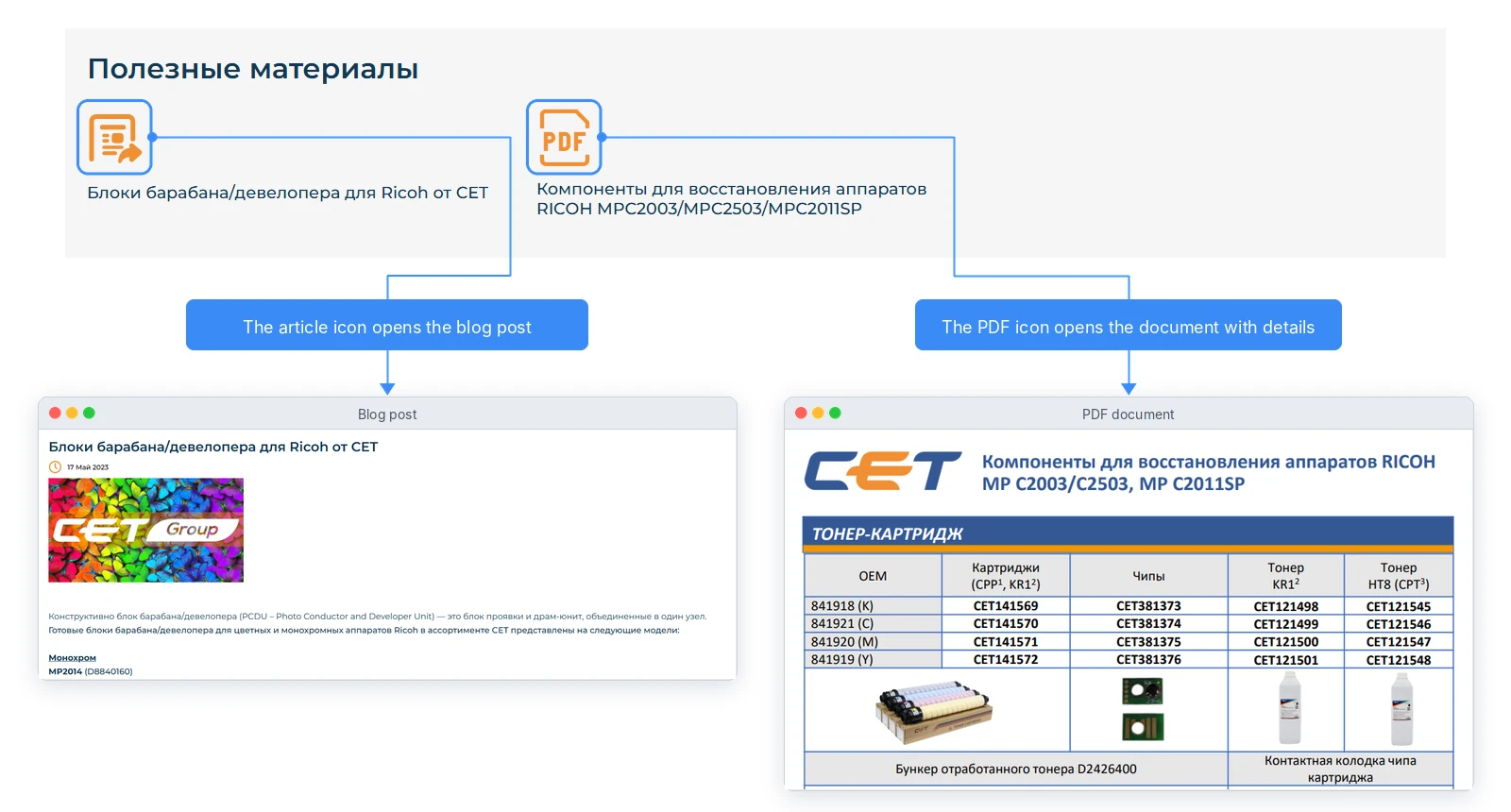
A service center specialist needs more than just the part itself — they need instructions, diagrams, and related documents. For this purpose, we added a “Useful materials” block to the product page.
After the logo change, we updated the branding of both websites in the group — the Russian and Kazakh sites. We replaced the logos in the header and footer, adjusted colors in UniTheme2, styles, and banners. We also added social media buttons to the header.
We additionally developed the “Our customers” section:
We carried out a technical audit of the website and fixed the issues we found, including an empty robots.txt file, 99 HTTP links, and 41 pages with mixed content.
We carried out a comprehensive security audit using real attack scenarios: automated scanning and manual analysis taking the specifics of the project into account. Testing followed the OWASP methodology, including checks for threats from the OWASP Top 10 list and vulnerabilities typical for the platform in use.
As a result, the client received a detailed report with risk descriptions and recommendations for remediation.
We will add new growth and scaling opportunities to your business. We will extend the system’s functionality to match your business processes.
We will develop a modern, conversion-focused design tailored to your specific needs and current standards.

Share your idea and we’ll offer an optimal solution