


13
years in Ecommerce
[email protected]
HomeCase StudyHerbariasoap: a secure CS-Cart upgrade, new design, and modern UX

Herbariasoap: a secure CS-Cart upgrade, new design, and modern UX

Herbariasoap is an American brand of handmade natural cosmetics based in St. Louis. All products are plant-based with no synthetic fragrances. The range includes body and hair care, soap, shampoos, candles, and repellents.

Field: natural cosmetics   Country: USA   Site: Herbariasoap

Client's Problem

The client came to us with a request to upgrade their online store to CS-Cart version 4.18. During our analysis, it became clear that the store was running on outdated templates and UI/UX solutions. Keeping the existing look and feel up and running was not only costly in terms of maintenance but also meant the store was falling short of current standards. The design looked dated and uncompetitive.

As a solution, we proposed building a new, modern design based on a ready‑made theme, UniTheme2. This approach let us preserve brand recognition by sticking with the existing color palette while improving visual appeal and user experience. An added benefit was that the theme already came with extra features built in, boosting the store’s functionality and usability without the need for heavy custom work.

Main tasks

  • upgrade the store to the latest stable version;

  • build a modern responsive design on UniTheme2;

  • adapt the store’s existing business mechanics to the new interface;

  • implement up‑to‑date UX solutions.

What we did

We upgraded the store to CS-Cart 4.18.

Since the client had run into trouble with updates in the past, they were especially concerned about being able to test the store thoroughly before going live.

To make sure the transition to the new platform version was secure and stable, we put together a detailed testing plan designed to avoid the issues they had experienced with earlier updates.

To give the client full peace of mind, we ran a double‑check before release: 

Early access

The updated store was deployed on our test server (dev environment). The client was given full access to explore and test the store’s functionality on their own before it was moved to production. 

Enhanced QA

We ran an improved internal quality assurance process that had already proven itself, significantly cutting down on post‑launch issues and boosting client satisfaction. 

What the upgrade involved:

  • architecture analysis and upgrade preparation;
  • backing up all data;
  • adapting custom modifications made to the CS-Cart core;
  • updating existing add‑ons;
  • configuring new add-ons;
  • migrating data (products, orders, users, reviews, settings);
  • thorough testing;
  • database updates and production deployment.
 

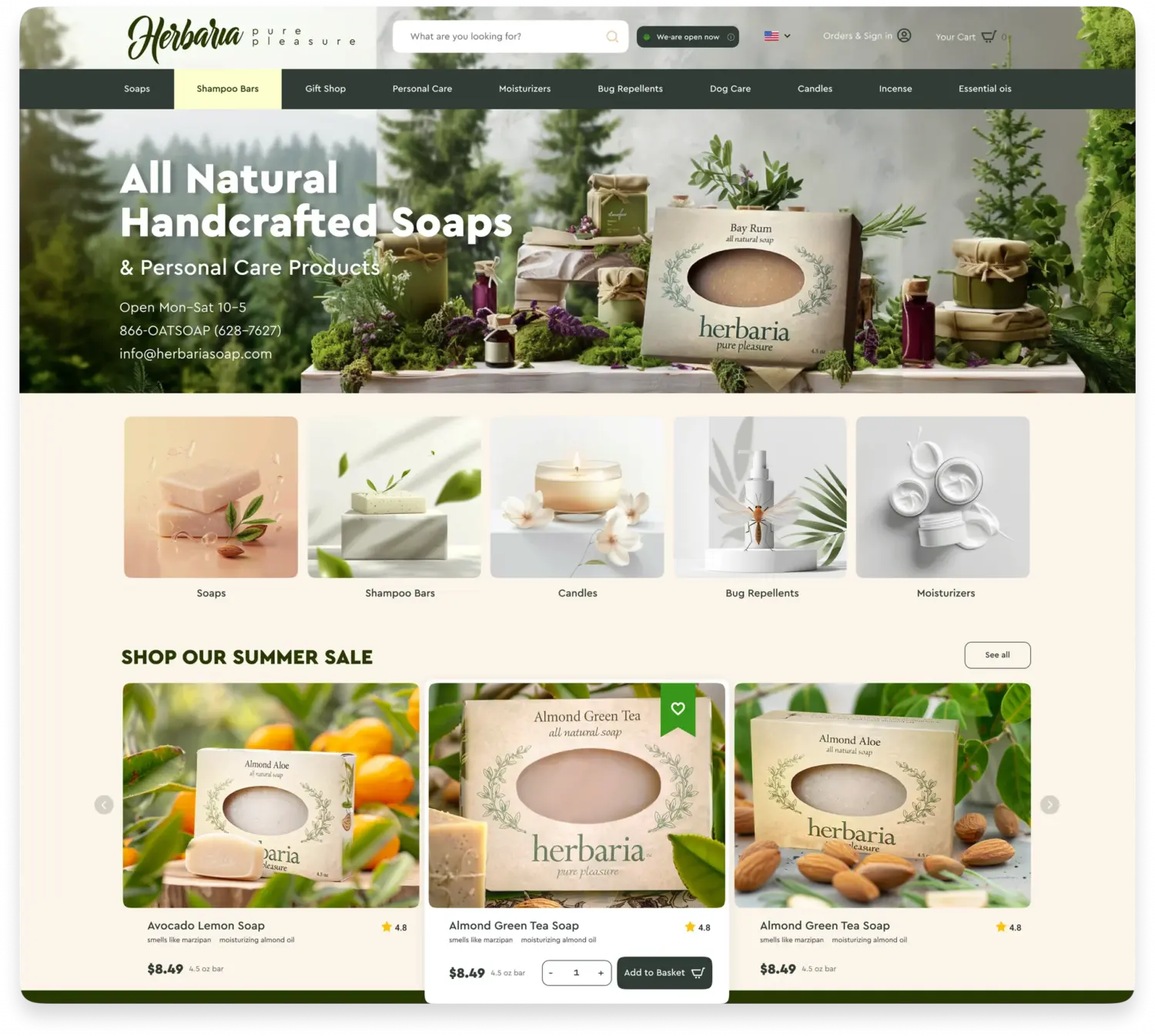
We created a new modern design

The client has provided several references for a general understanding of their design preferences. One specific request: no pop‑ups of any kind. On the homepage, they wanted wide‑format photography and a scrolling layout.

The Summer Offers block was added, featuring convenient horizontal scrolling and the ability to select a quantity and add items to the cart right from the feed without having to open the product page. This makes it easy to showcase a large selection of sale items in a compact space.

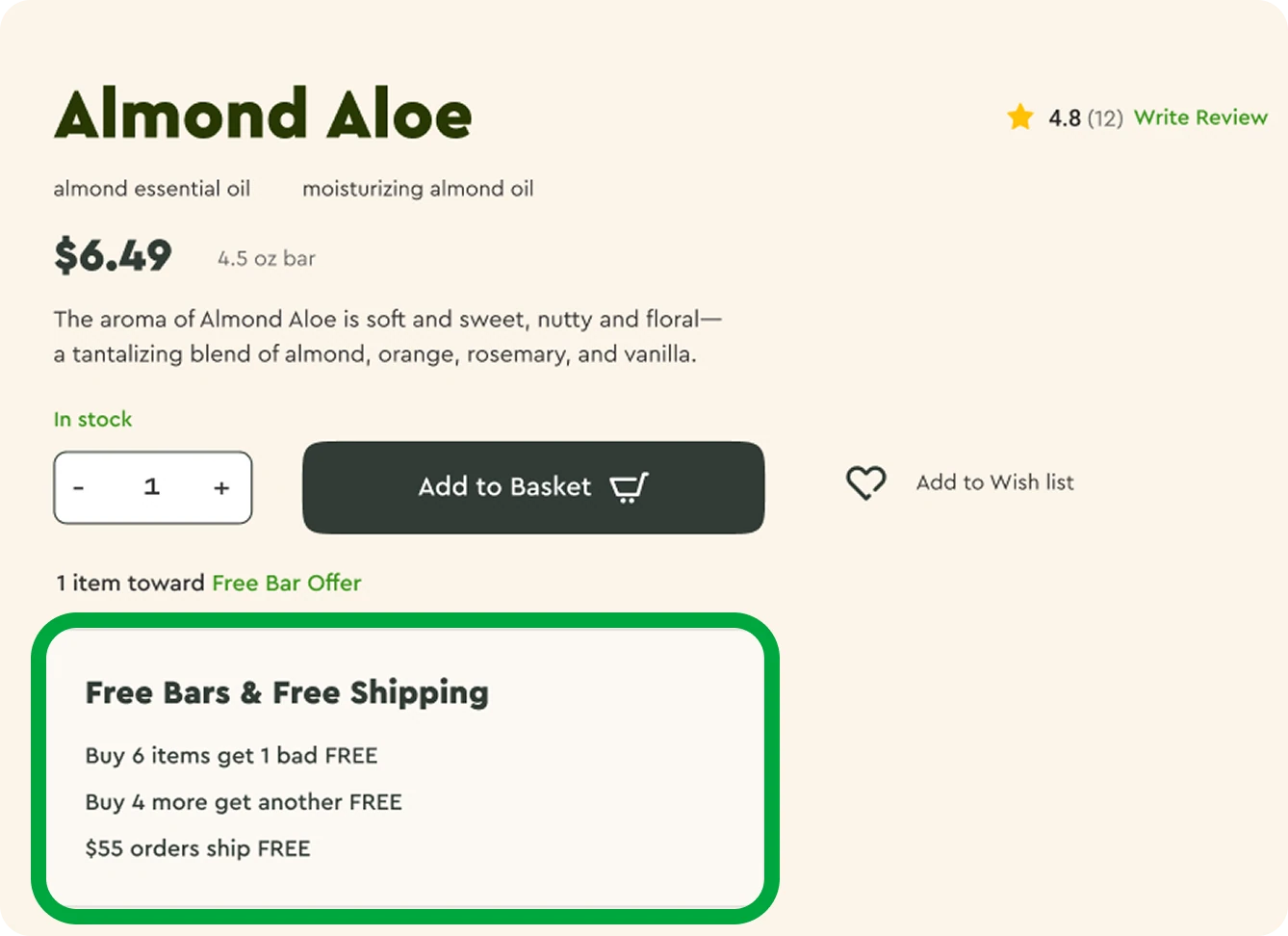
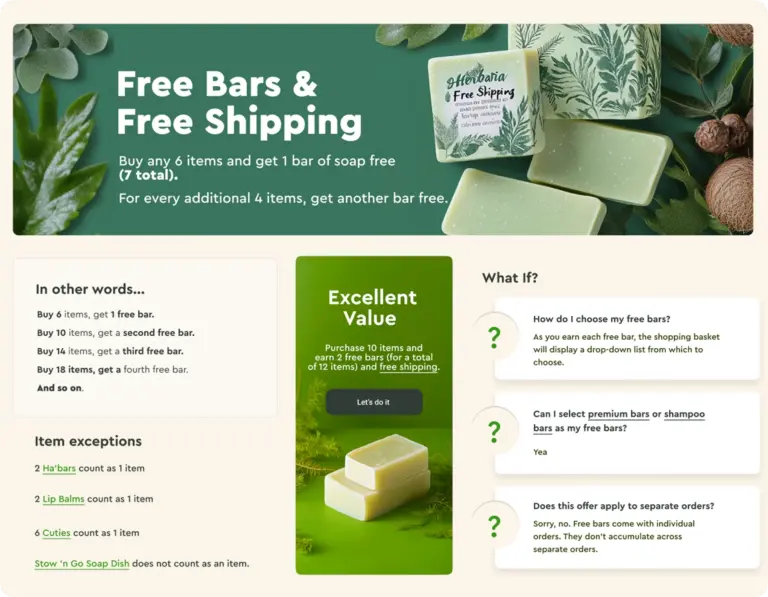
The active promotion Buy 6 and get the 7th free was a key element for their loyal customer base. We integrated it both on the homepage and on the product page, carefully carrying this working business mechanic over into the new UI.


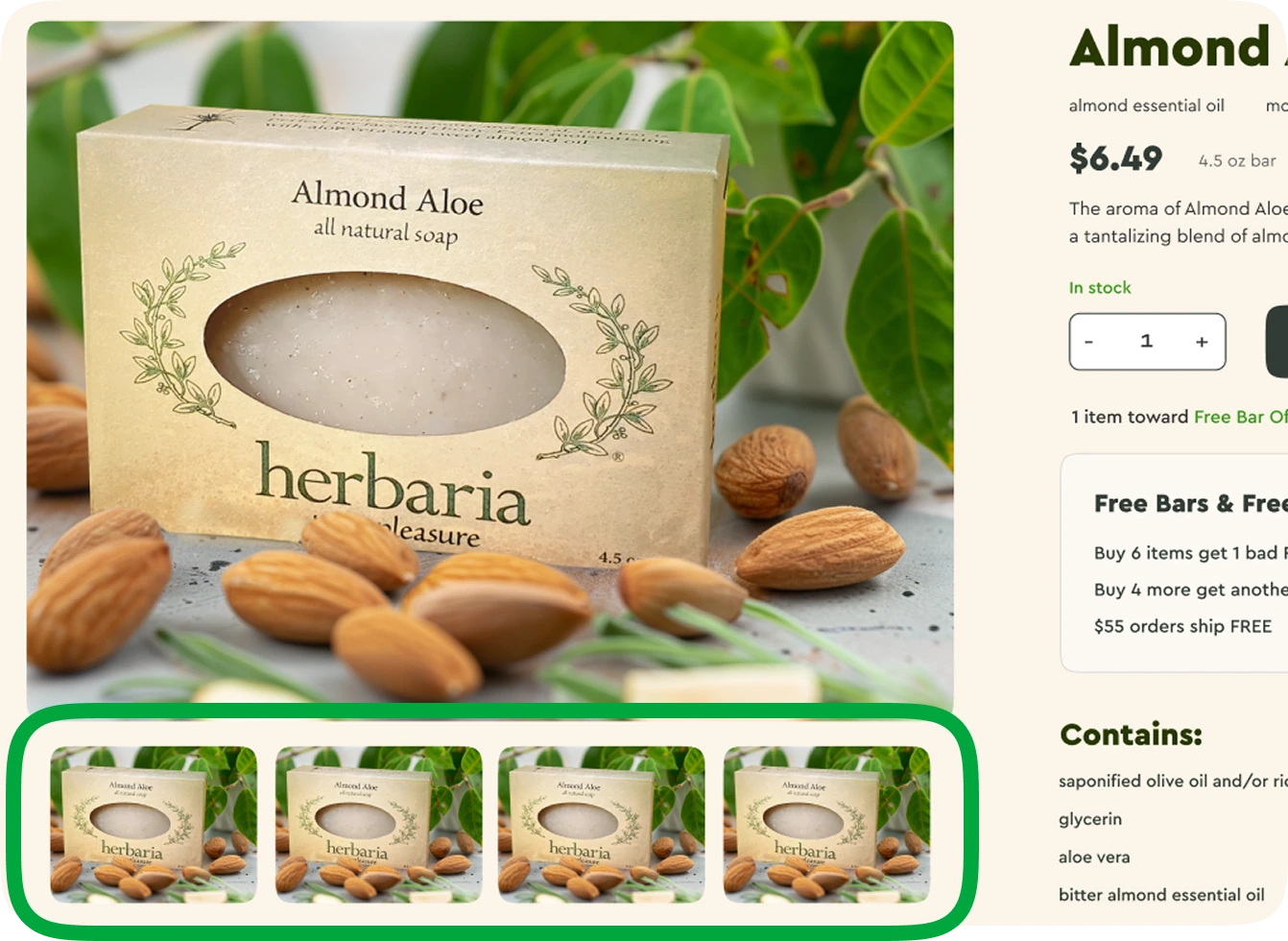
The rectangular thumbnail format was chosen to fit the store’s existing product photos into the gallery perfectly while preserving their original proportions and sizes.


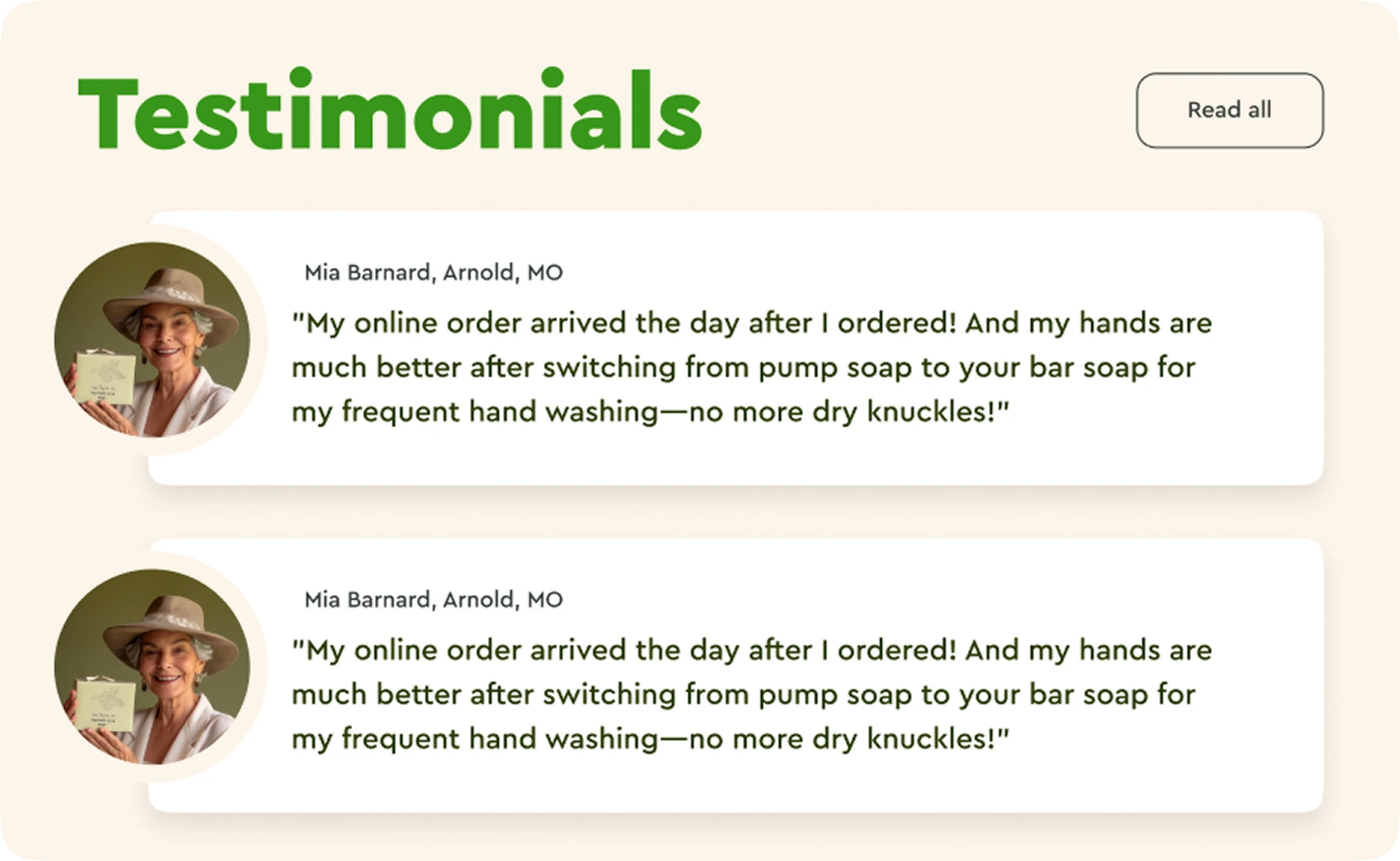
We built a logical social‑proof chain that follows the user’s journey.

At the entry point—the homepage—ratings and customer reviews help build overall trust in the store. 

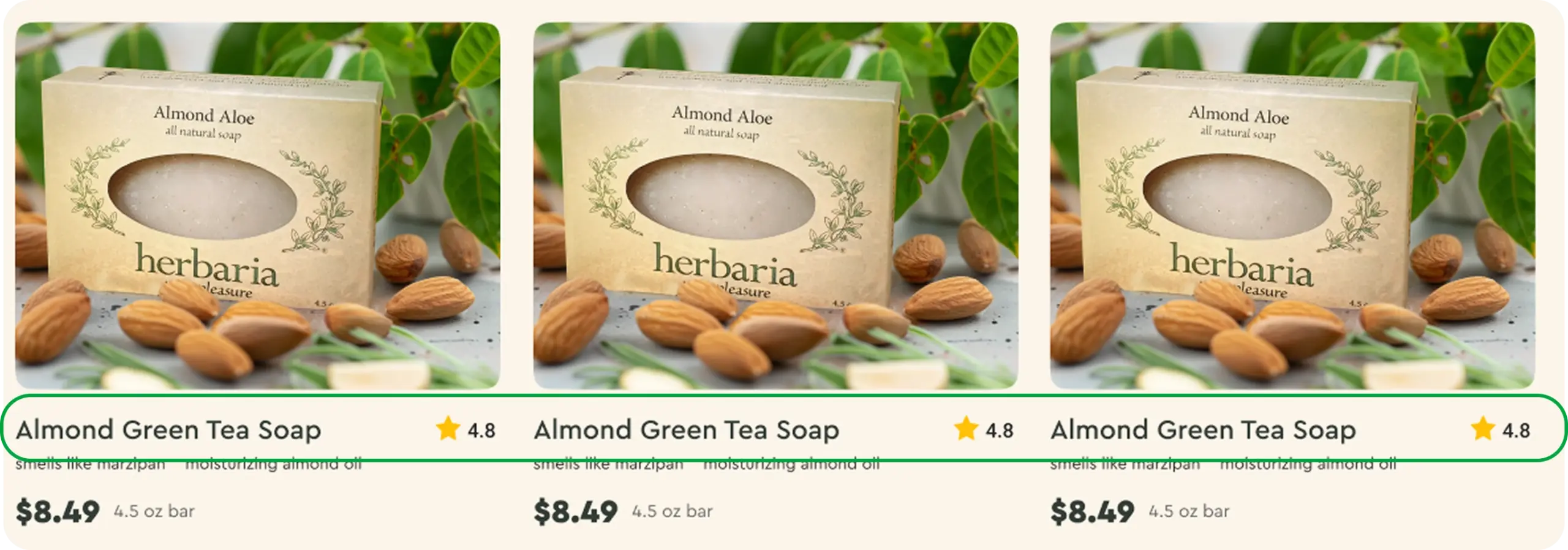
In the catalog, there is an intuitive visual indicator: a star and an aggregate rating.

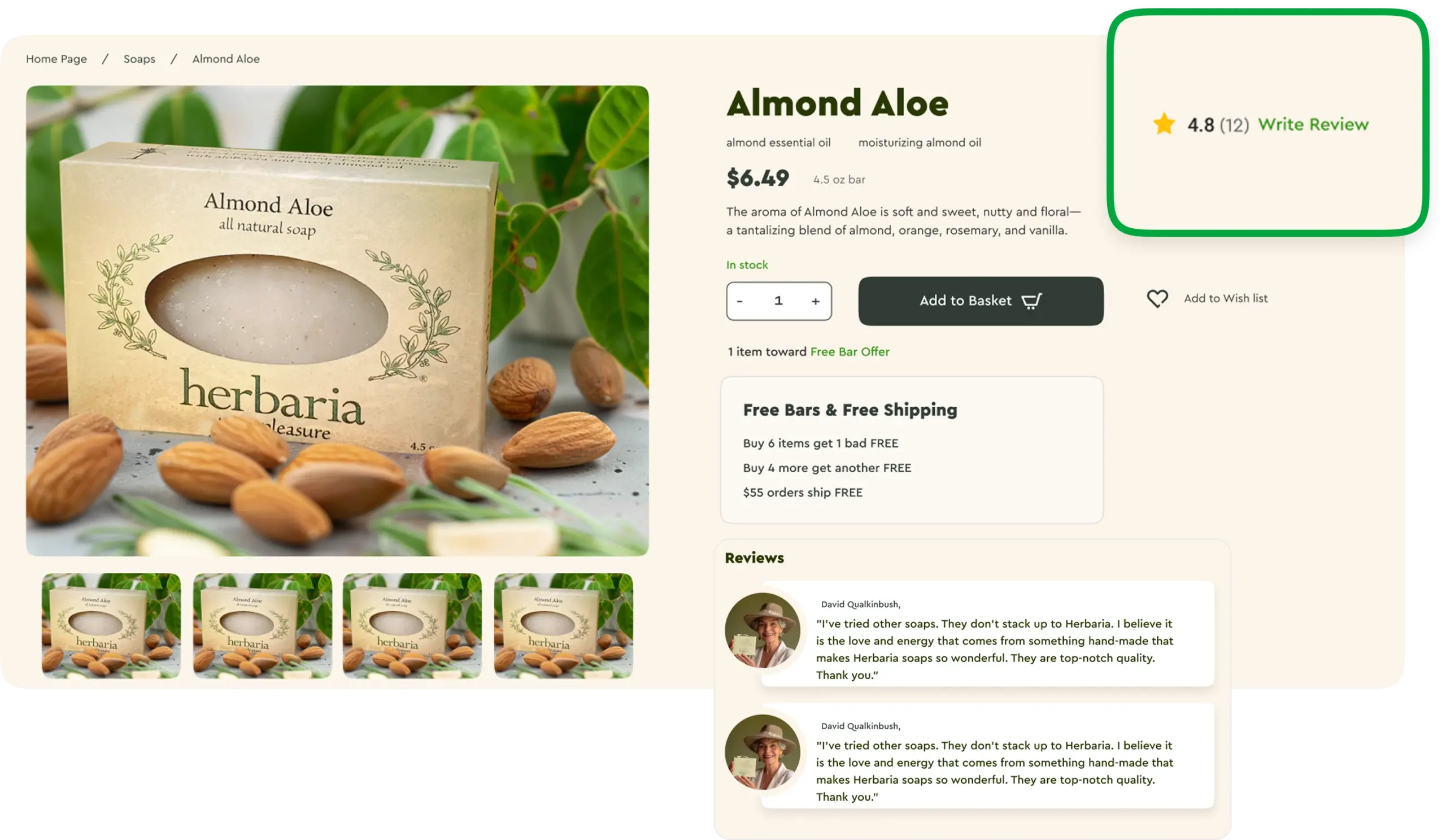
Once the user lands on a product page, they immediately see social proof through the aggregate rating placed in the visible area. As they scroll down, a section with detailed reviews appears.

We added a separate page explaining the terms of current promotions.

We developed additional functionality

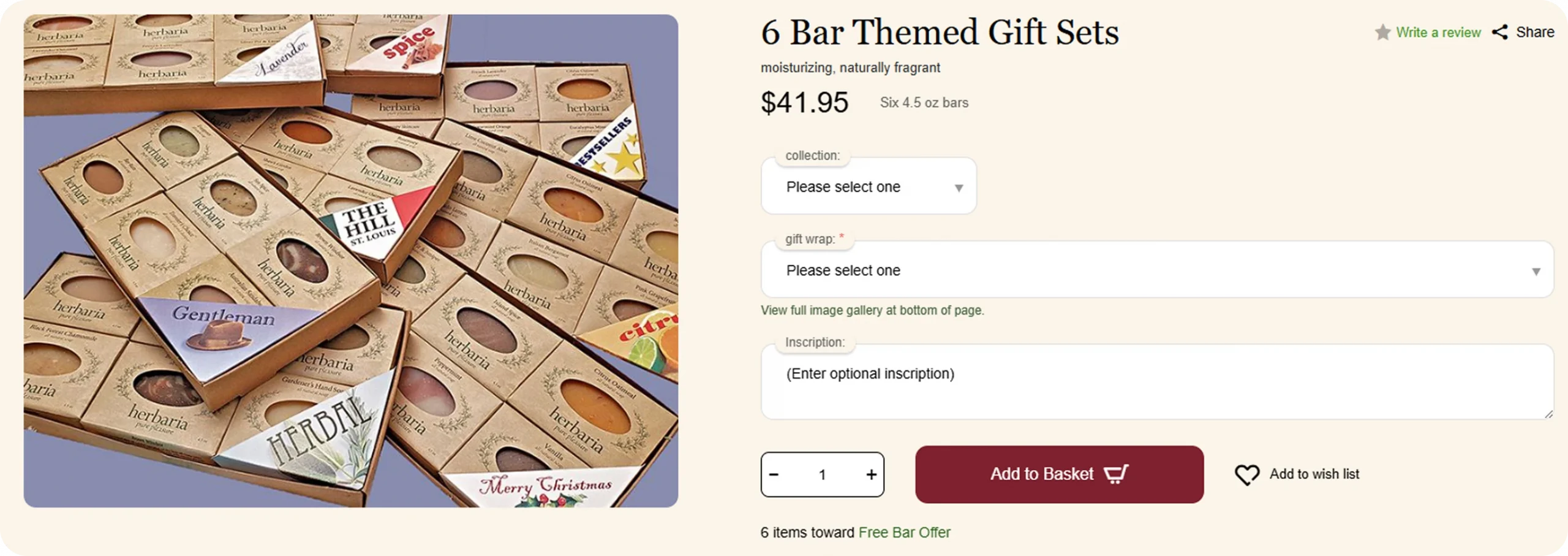
We changed how the product page displays for items with multiple variations.

We made product interaction more intuitive by showing the user the full product line upfront and encouraging them to make a deliberate choice before adding to cart, removing the risk of accidentally ordering the default variant.

When the page opens, a general image representing all variations is shown (for example, all loofah soaps together in one shot). The dropdown has a placeholder reading “Please select one.”

The Add to cart button stays inactive until the user consciously picks a variation. Once they do—say, Bestsellers—the product image updates to show the selected variant, and the Add to cart button becomes active.

Flexible ingredient management for variable products

Since the client has a large number of variations, editing ingredients manually for each one would be tedious and error‑prone. To make things easier, we implemented a flexible ingredient management system for variable products. The ingredient field is now available under the General tab.


Common composition for the entire line:

If all variations of a product (e.g. soaps) share the same ingredient list, you can enable a setting to apply changes across all variations at once.


Unique composition for a specific soap:

If a particular soap has a different formulation—for example, with added specialty oils or fragrances—you can disable the global update and save the ingredients just for that product.

Controlled profile address updates:

We added two checkboxes labeled Update my address in profile

  • in the “Shipping methods” section (delivery address)
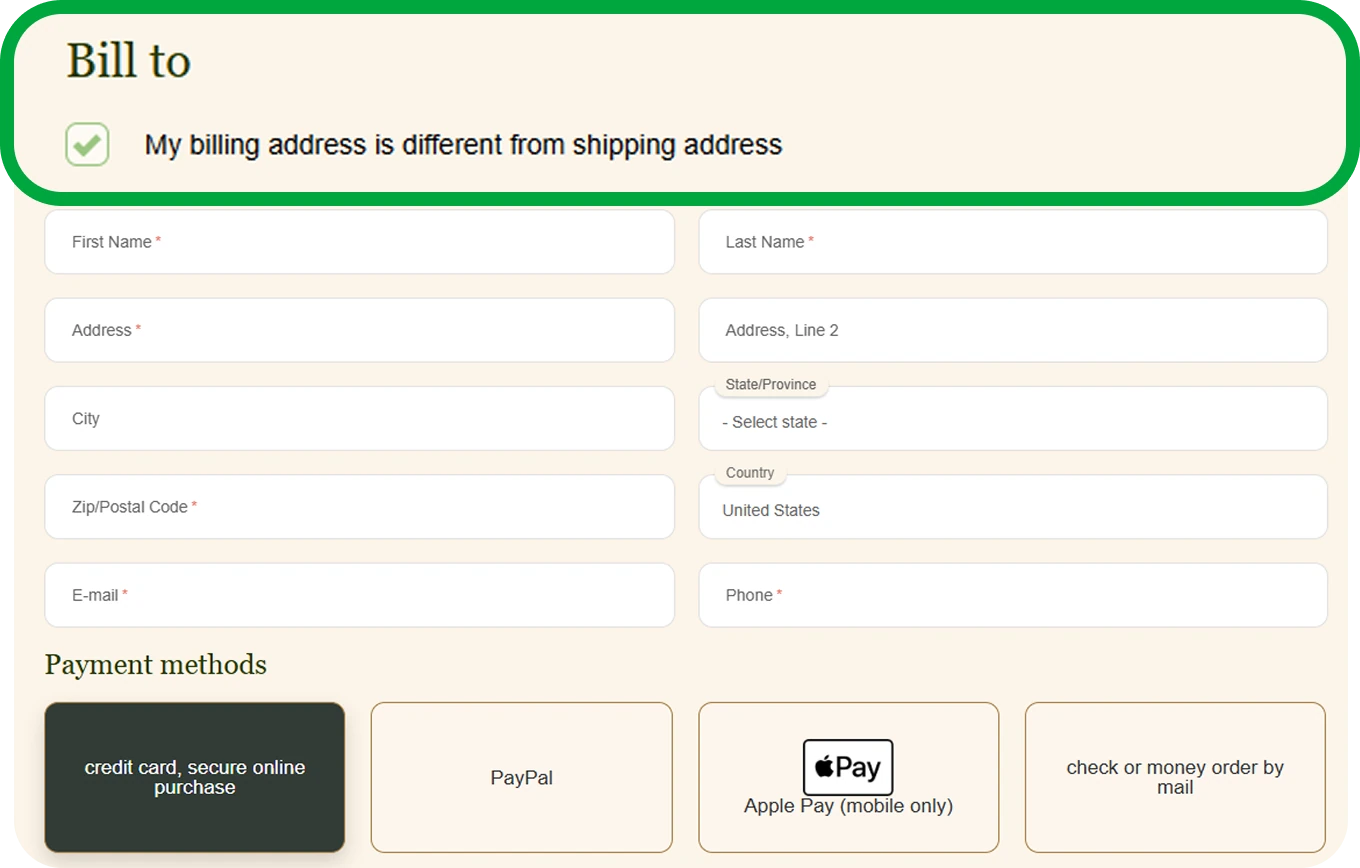
  • in the “Bill to” section (billing address)

How it works:

  • If the user’s profile doesn’t already have a corresponding address (delivery or billing), the checkbox is pre‑checked.
  • If the address already exists in the profile, the checkbox is left unchecked by default.
  • During checkout, addresses in the user’s profile are only updated if the relevant checkbox is ticked.
 

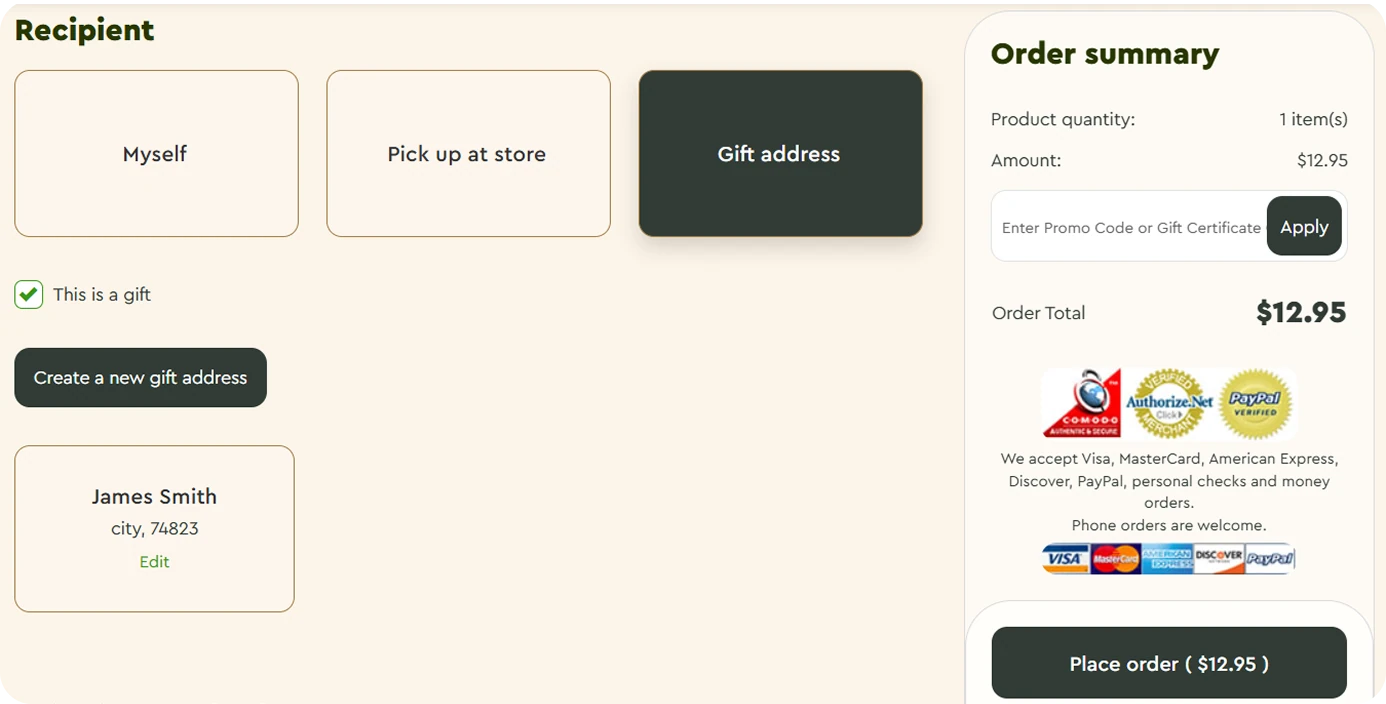
"This is a gift" functionality

A “This is a gift” checkbox was added next to the delivery address block. When checked, the “My billing address differs from delivery address” checkbox becomes inactive.


As part of this enhancement, the delivery address storage system was redesigned:


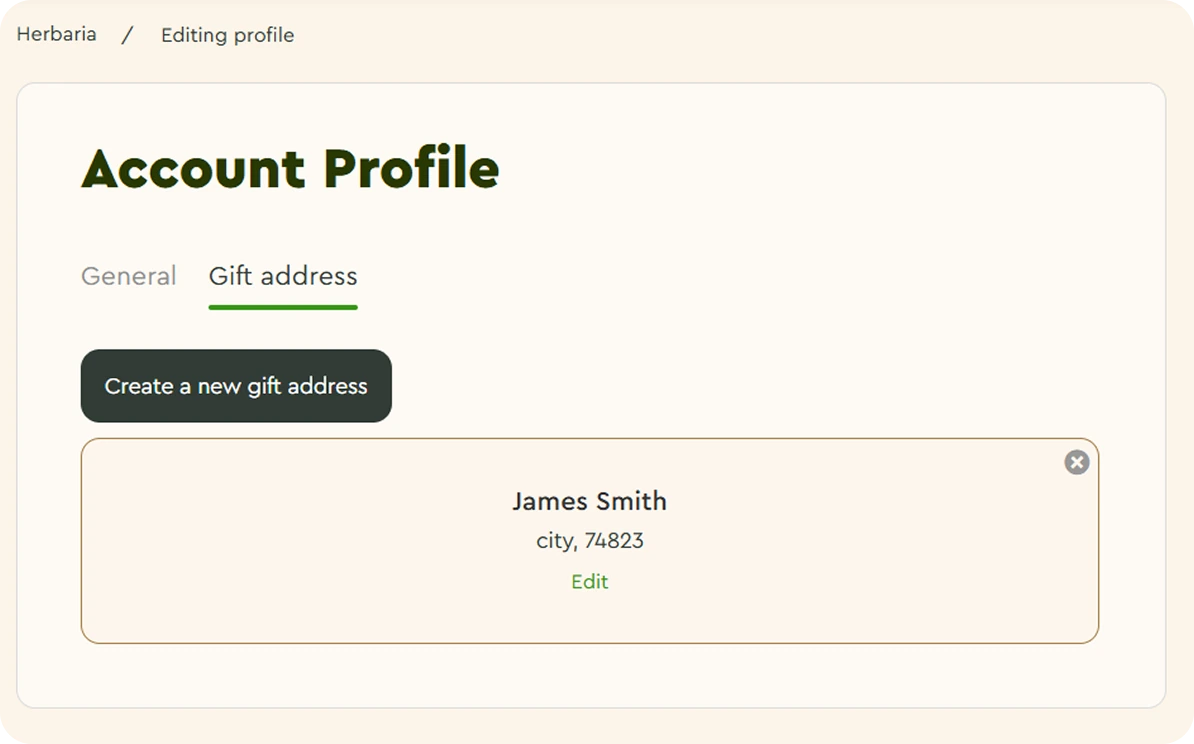
Gift address management

Users can create, edit, and delete gift addresses from their profile page.

All saved addresses are stored in the database and available for future orders. 


Use on the checkout page

Logged‑in users can create new gift addresses or edit existing ones right during checkout.

For guests, the standard form‑filling flow remains unchanged.
 

Project Results

  • Up‑to‑date version: we securely upgraded the store to CS‑Cart 4.18 with no data loss or additional rework. The double‑testing approach eliminated any transition‑related errors.
  • Modern design: we delivered a contemporary storefront built on UniTheme2 while keeping the brand’s signature look intact.
  • Easy navigation and current UX solutions: search is always visible, and products can be added to the cart straight from the homepage feed.
  • Preserved mechanics: we adapted the customers’ favorite promotions and all existing business mechanics to the new design.
  • Improved checkout UX: we removed extra steps and reduced the risk of input errors, making the overall flow smoother.
Services
Functionality Development

Add new capacities to your business: workflow improvements, integrations, and development of new features.

UI/UX Design

We develop an attractive interface for your store and highlight the brand value. Your customers will want to come back and make a purchase again.

We will find solutions
for everyone!

Share your idea and we’ll offer an optimal solution

Please, fill out the form