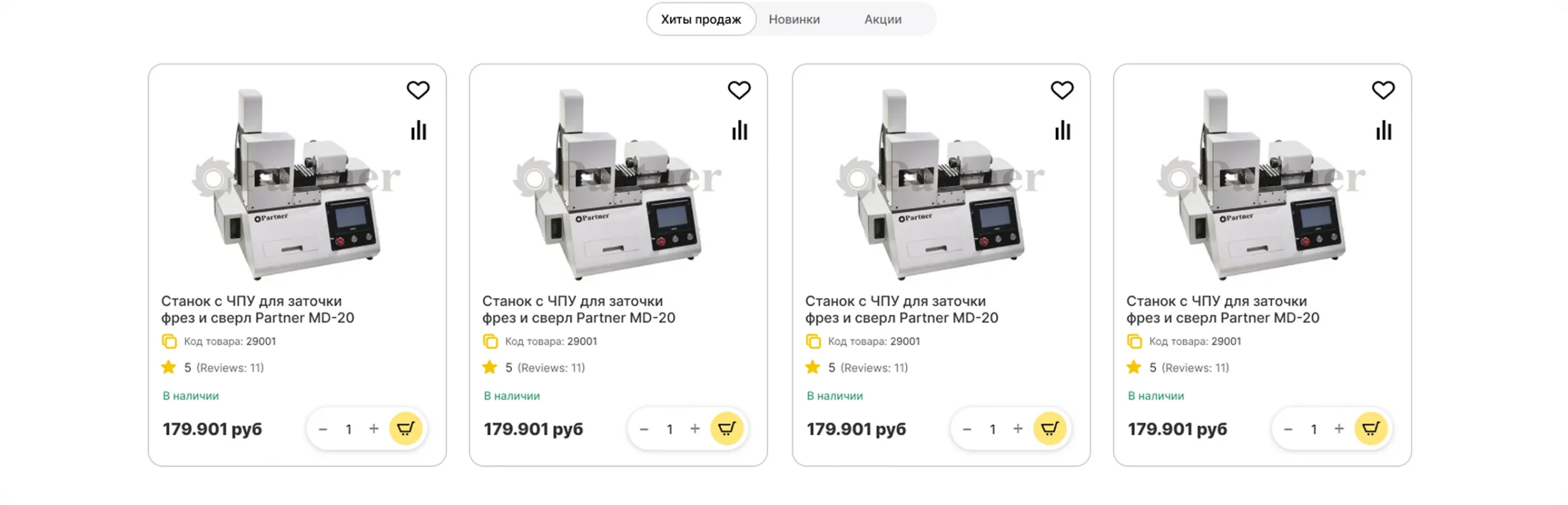

Partner-ST is a Russian supplier of metalworking tools and machines: sharpening machines, machine tooling, and tools for drilling, milling, and thread cutting.
Industry: metalworking (B2B) Country: Russia Website: partner-st.ru
ABOUT THE CLIENT
Since 2014, Partner has supplied machine tools, tooling, and metal-cutting instruments for mechanical engineering and metalworking enterprises. The products are manufactured under the company’s own Partner brand, which enables quality control at every stage and helps maintain optimal pricing. The company offers solutions for tasks of any level of complexity, from tool sharpening to equipping metalworking areas
01
Equipment kits were assembled and priced manually, without automatic synchronization of price and stock with the kit composition.
02
The product page did not reflect B2B specifics: it lacked delivery status, a brand block, and documentation.
03
The stock logic did not account for confirmed deliveries from 1C (inventory management platform) — some items appeared unavailable even though the delivery was already confirmed.
04
The design and mobile version did not keep up with modern UX patterns, and the catalog lacked flexible display formats.
05
The site ran on shared hosting, with no performance or stability headroom.
06
Priority catalog categories did not receive clicks in search results, even though they were technically visible to search engines.
01
Automate accounting for equipment kits whose price and stock depend on the set of components.
02
Completely redesign the product page based on a reference — from the brand card to tabs and the purchase block.
03
Add a table view for products in categories in the “Compact list” layout.
04
Update the homepage design and mobile version to match modern UX patterns.
05
Develop a dedicated account page and improve checkout for individuals and legal entities.
06
Expand stock status logic — take into account confirmed deliveries from 1C (delivery management platform) and separate pre-order and “awaiting delivery” scenarios.
07
Simplify buyer login and registration.
08
Migrate the site to a dedicated server to improve stability and performance.
09
Speed up site loading.
10
Conduct an SEO audit, fix visibility gaps, and push priority catalog categories to the top of search results.
Nine workstreams — from catalog mechanics to infrastructure and search visibility.
1. Equipment kits
2. Product page
3. Table view for categories
4. Design: desktop and mobile
5. Account and checkout
6. Stock and pre-order
7. Login and registration
8. Infrastructure and speed
9. Search optimization (SEO)
1. Equipment kits
2. Product page
3. Table view for categories
4. Design: desktop and mobile
5. Account and checkout
6. Stock and pre-order
7. Login and registration
8. Infrastructure and speed
9. Search optimization (SEO)
We implemented a kit mechanism in CS-Cart so that kits behave as separate catalog items: a kit appears on the storefront and in the order as an independent product, but its price and available stock are always derived from its components.
INTERFACE
In the product card, a “Kit” tab includes a “Is a kit” checkbox. When enabled, a composition editor opens: a list of components with a product picker, bulk and single-item add/remove, and quantity fields for each item. Adding a kit inside another kit is blocked.
CALCULATION LOGIC
Price and stock recalculate when the product is saved, when any component changes, after stock is deducted following an order, and during import from 1C. After import, recalculation runs through a queue to avoid duplicate calculations during bulk data updates. The add-on settings include a manual trigger and a cron command for scheduled recalculation.
DATA MODEL
The kit flag is stored in the products table, the link between a kit and its components in a separate table, and the recalculation queue in its own table. This ensures safe deduplication of bulk events during import.
Discounts on individual items inside a kit do not affect the kit’s price. Сomponent stock is adjusted by the standard 1C (delivery management platform) synchronization.
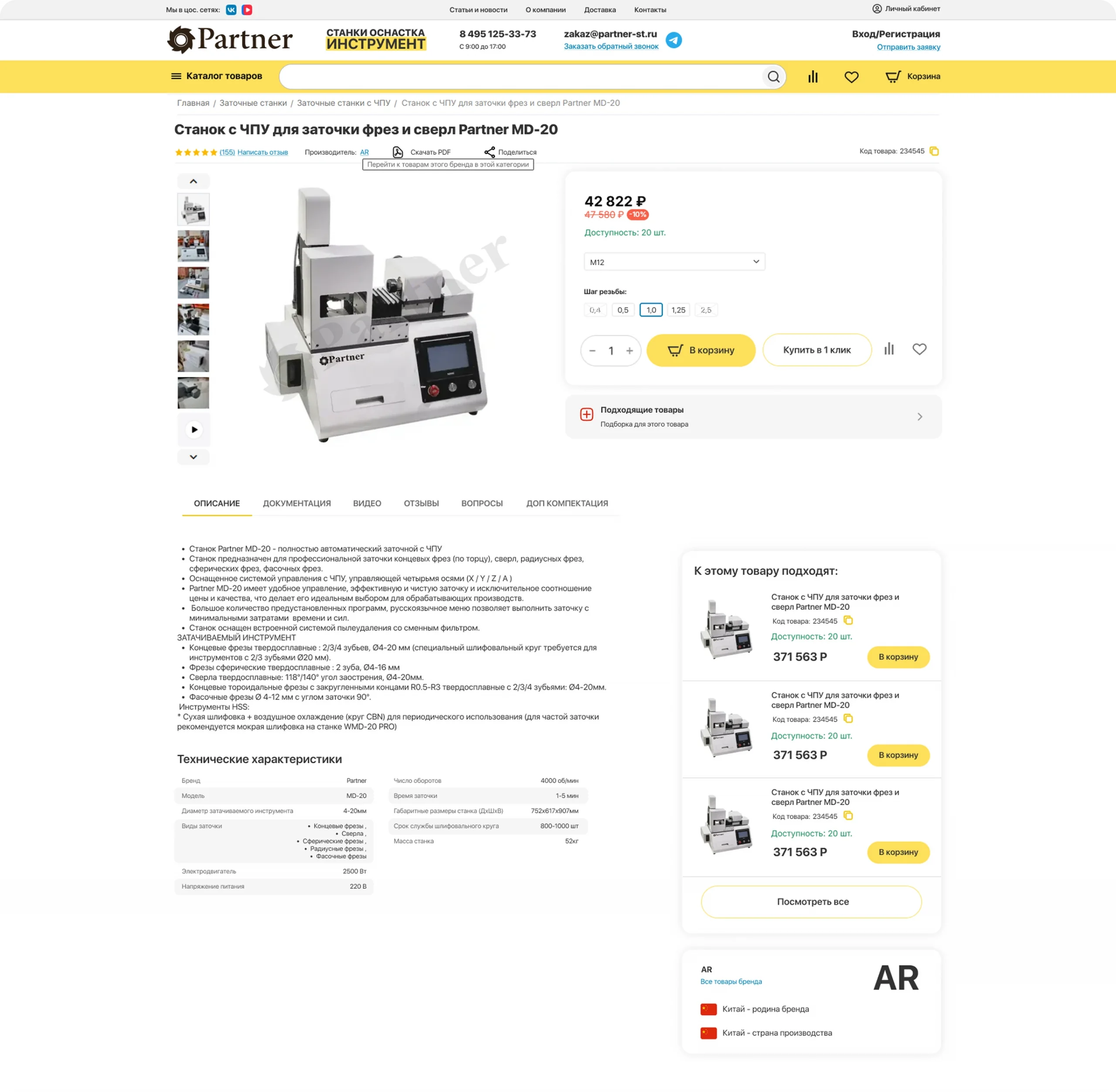
We took cncmagazine.ru as a reference and fully rebuilt the standard detailed product page template — not a prototype, but final design under the AB: UniTheme2: Malachite theme.
Full-width under the product name: product code with copy, manufacturer from the “Brand” specification, a “Write a review” block with rating, a “Download PDF” button, and a “Share” block.
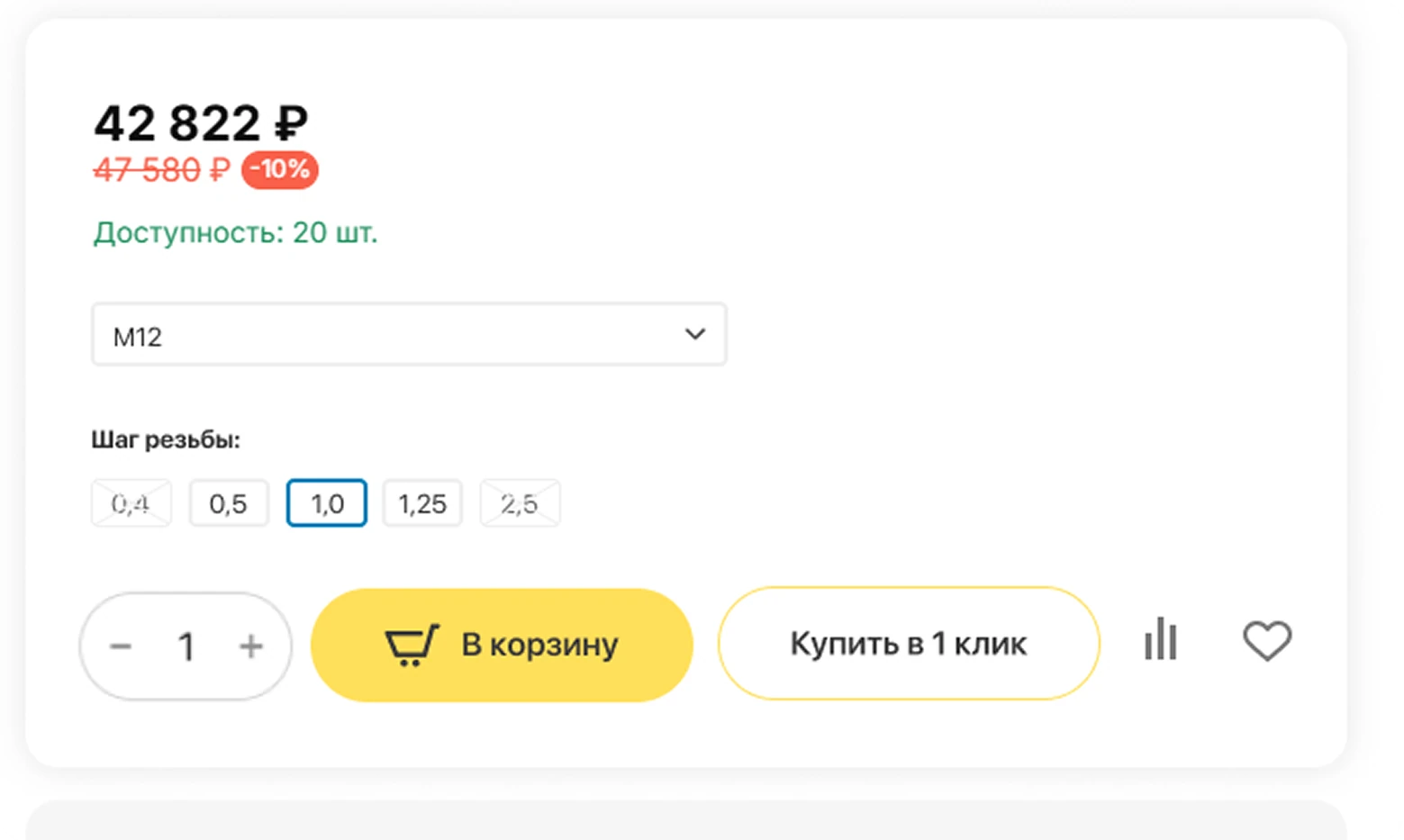
In the second column: on-hand quantity, price, quantity picker, and “Add to cart” and “Buy in 1 click” buttons in an updated style.
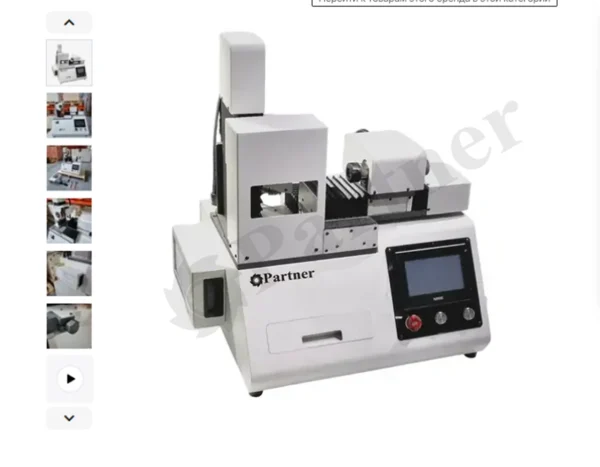
In the first column: product images and video with watermarks and an indicator of added videos. On click, a previewer opens with product info and an option to add to cart; on mobile, the previewer is not used.
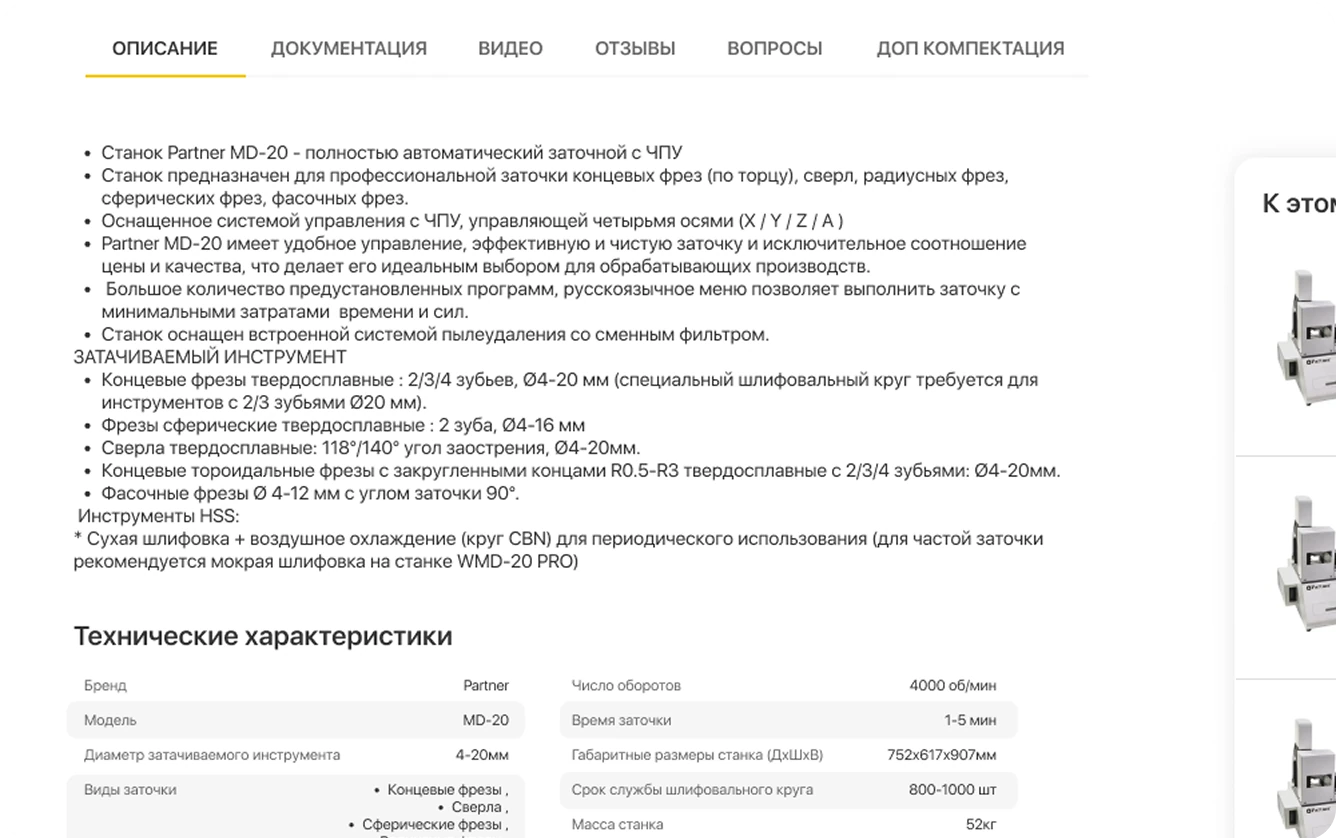
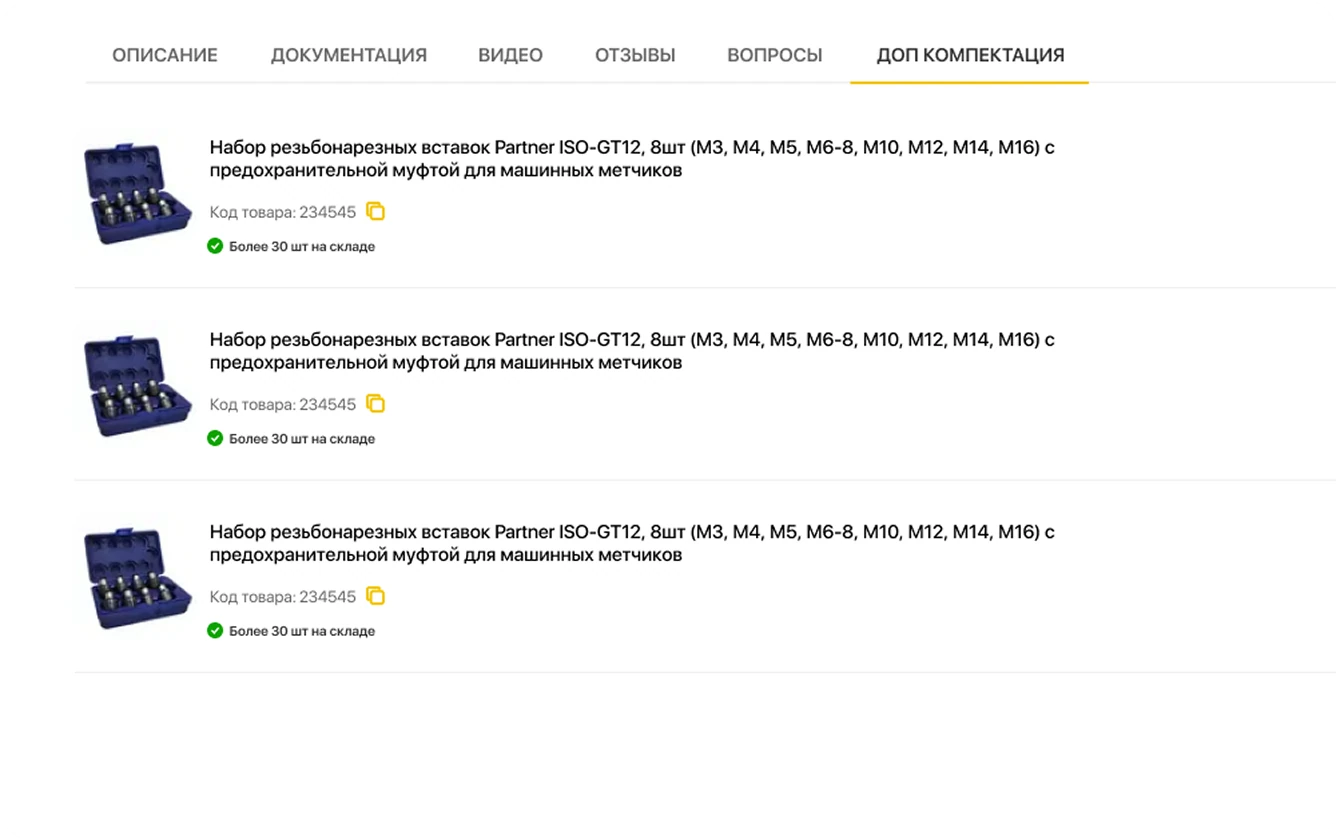
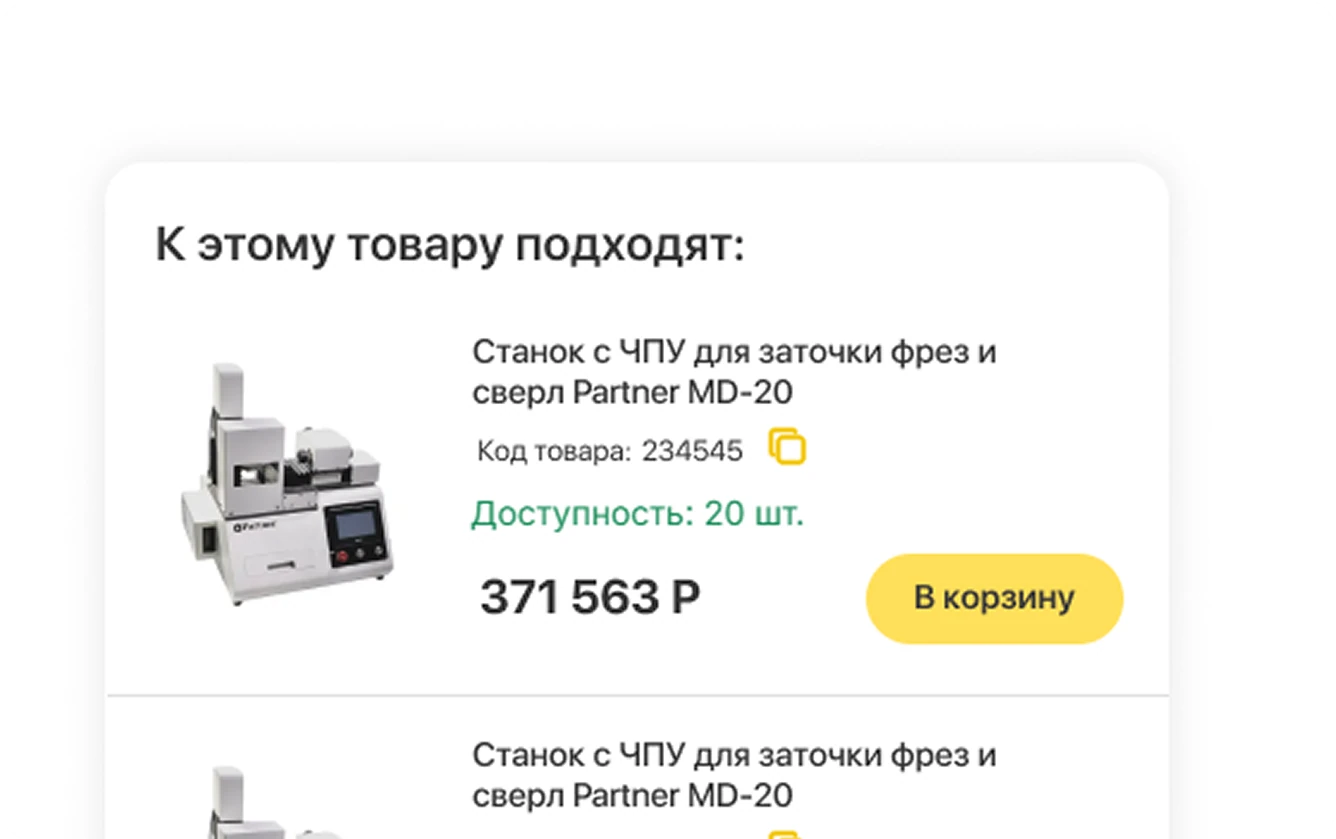
We merged the standard “Specifications” and “Description” into one tab — with a two-column specification table, an “Additional configuration” block (alternatives and accessories by technical specs), and a brand block: name, image, and a link to all brand products.
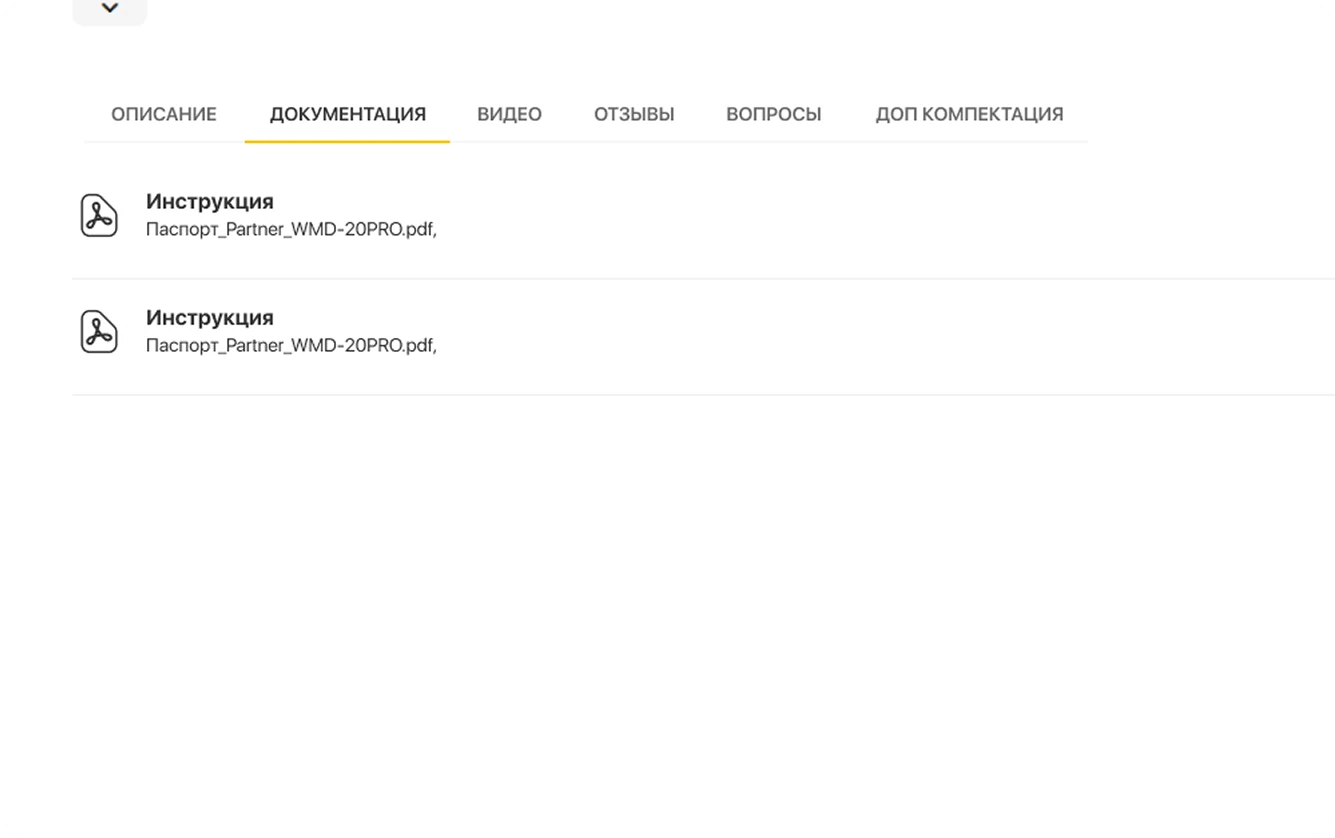
We built “Documentation” on top of the “Attached files” add-on with a redesigned file list display. We added “Reviews” and “Questions” tabs and a separate “Additional configuration” tab.
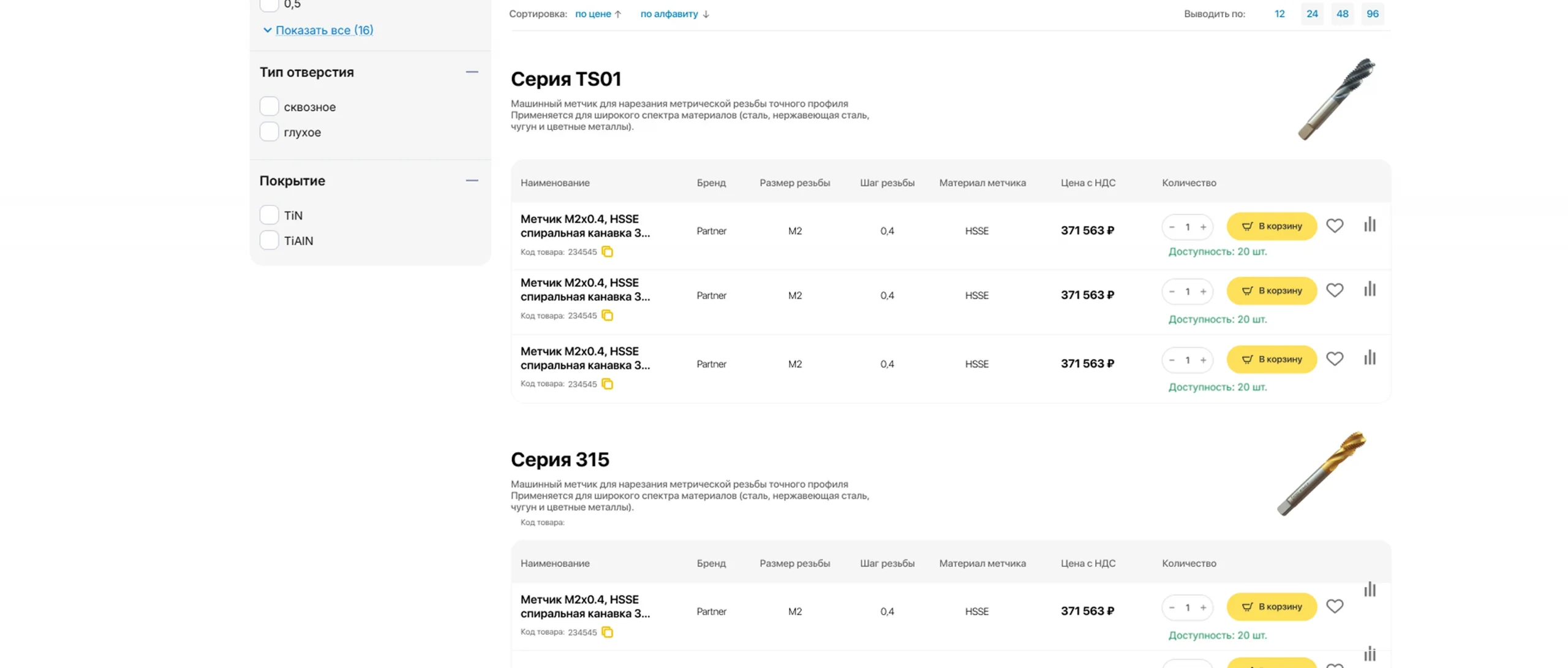
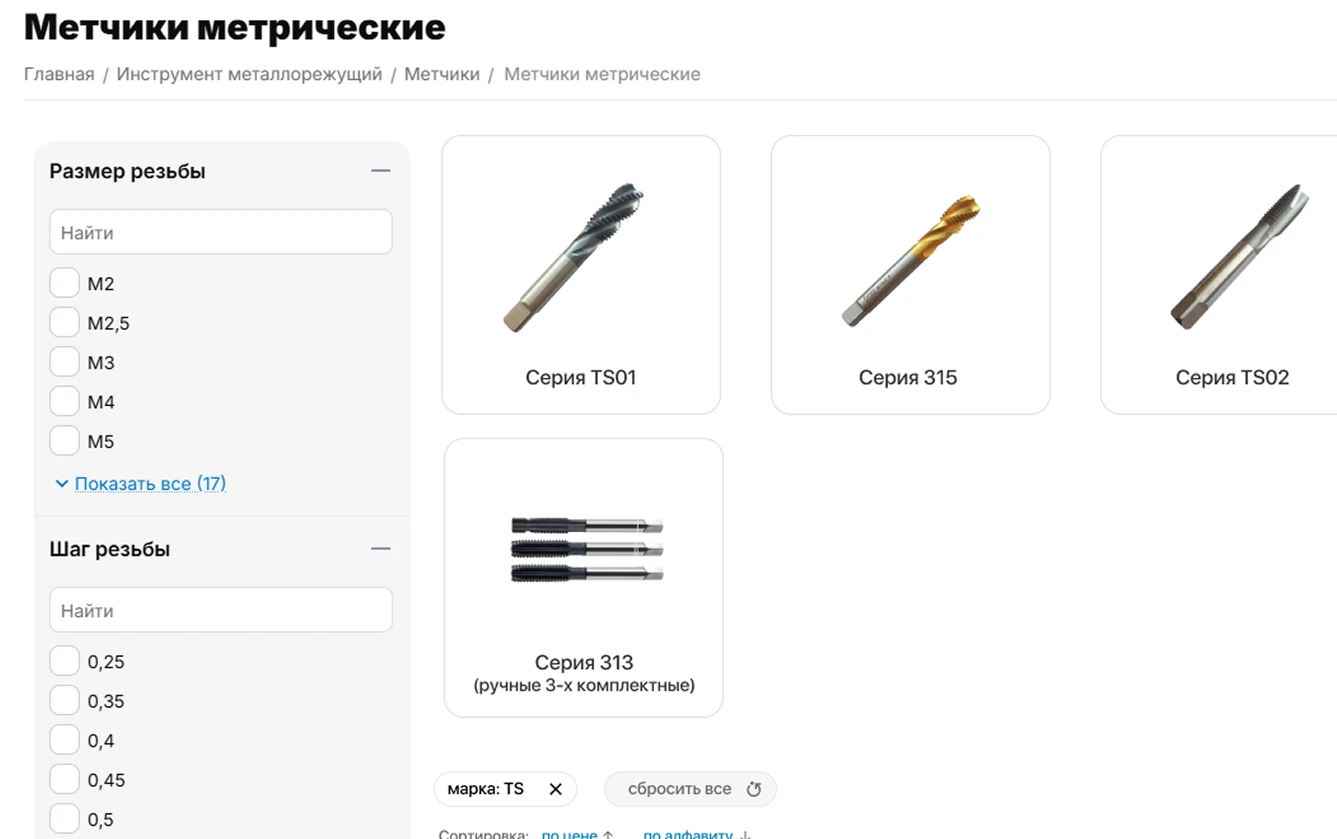
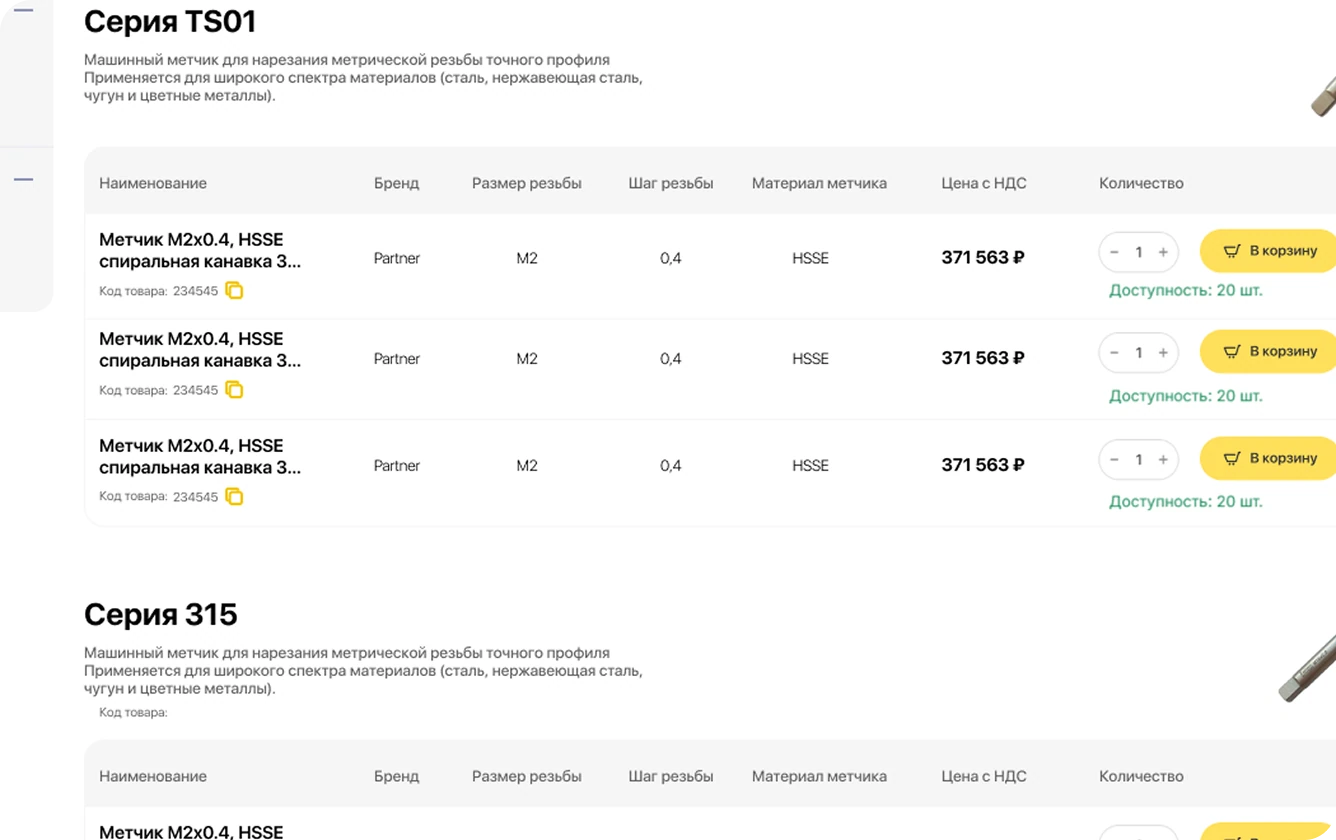
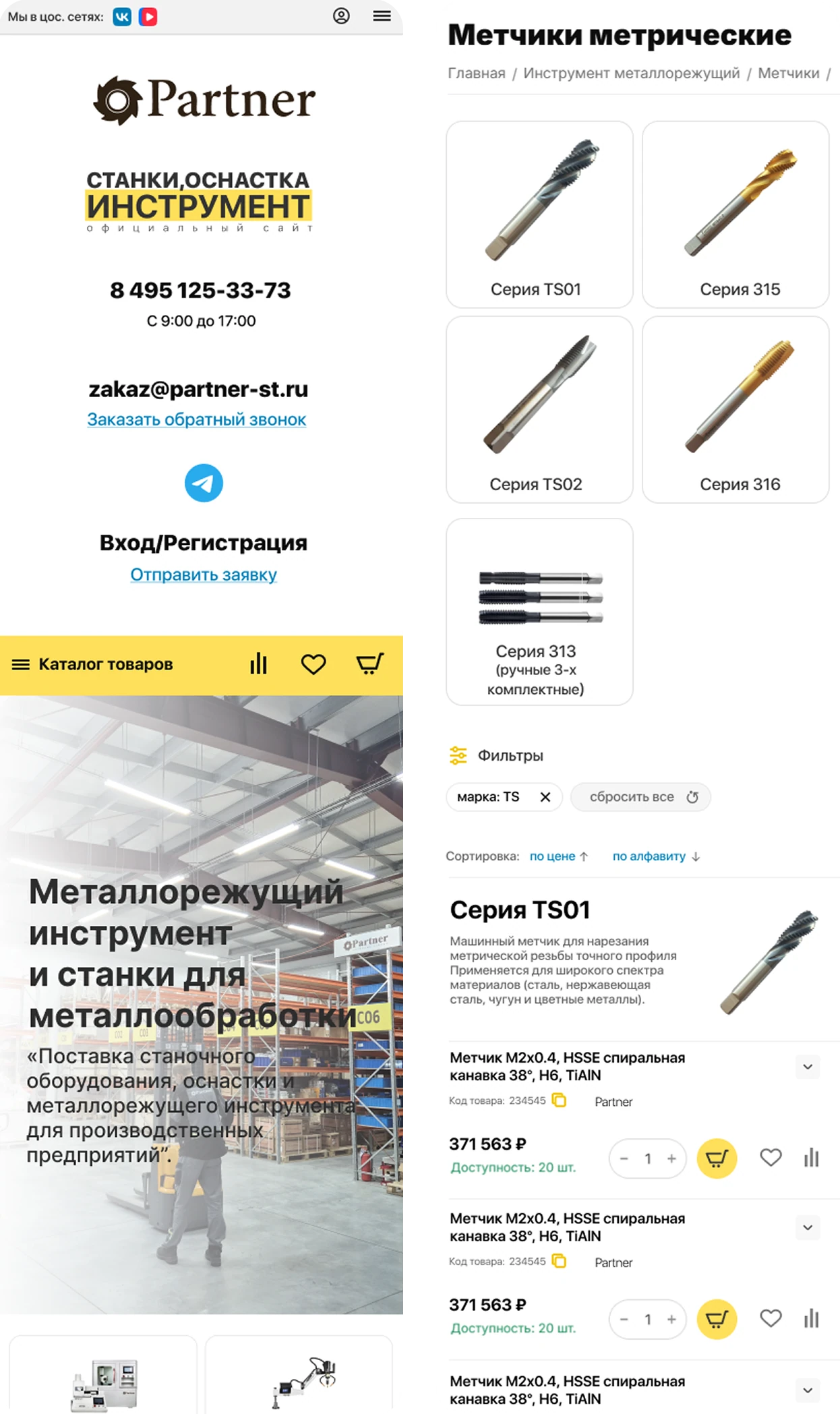
We implemented a new product display mode in categories — as a table grouped by a specification variant — as an additional format alongside the standard “Compact list” view.
Before development, we designed and approved the final table layout for the catalog with the client.
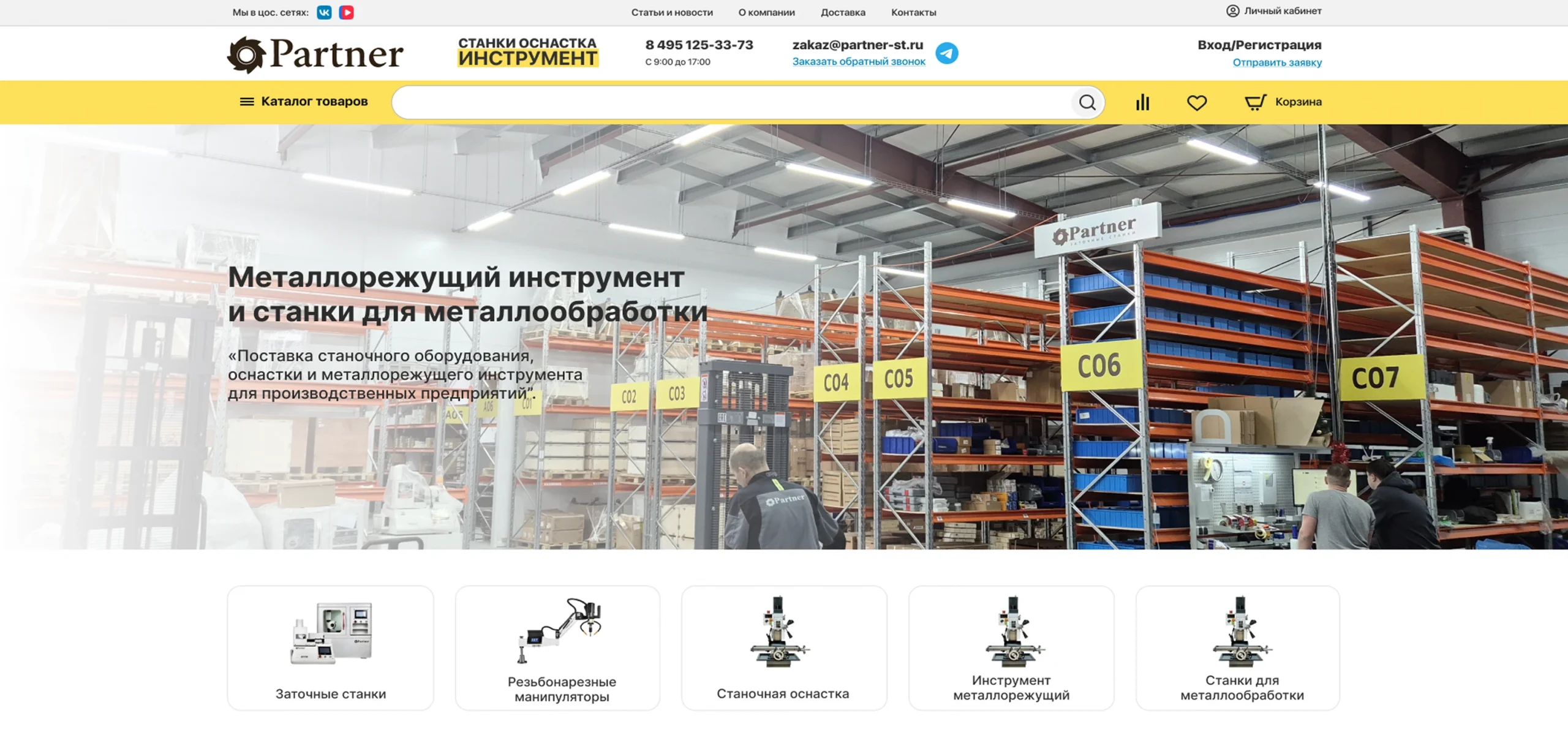
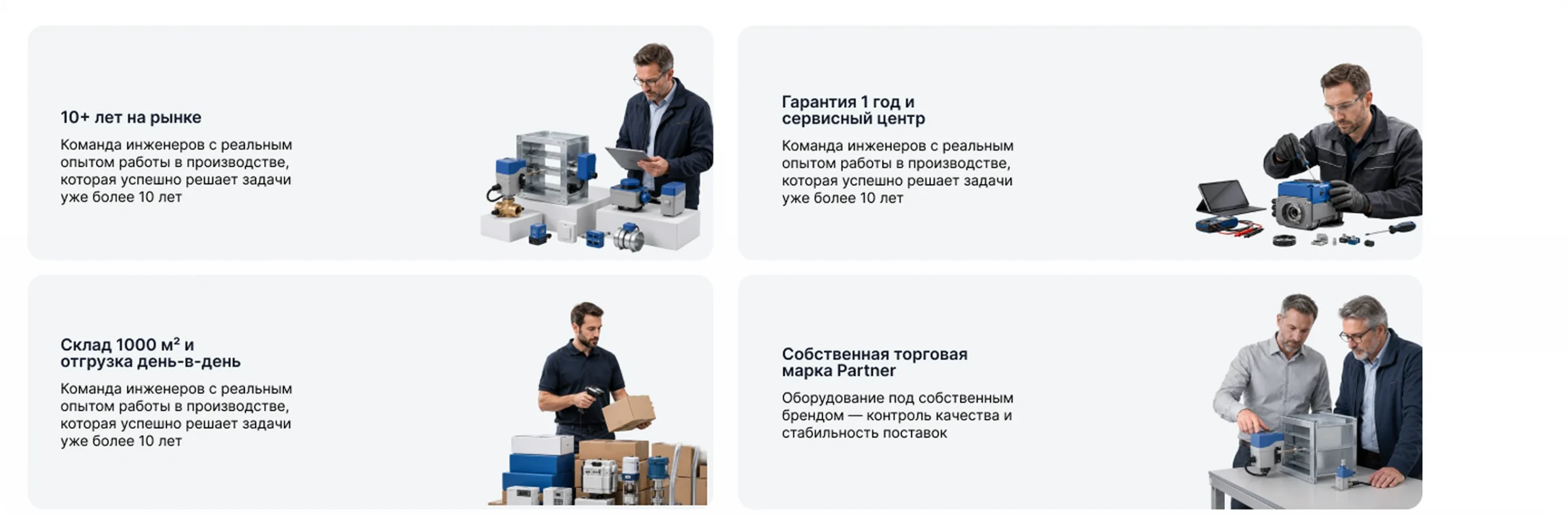
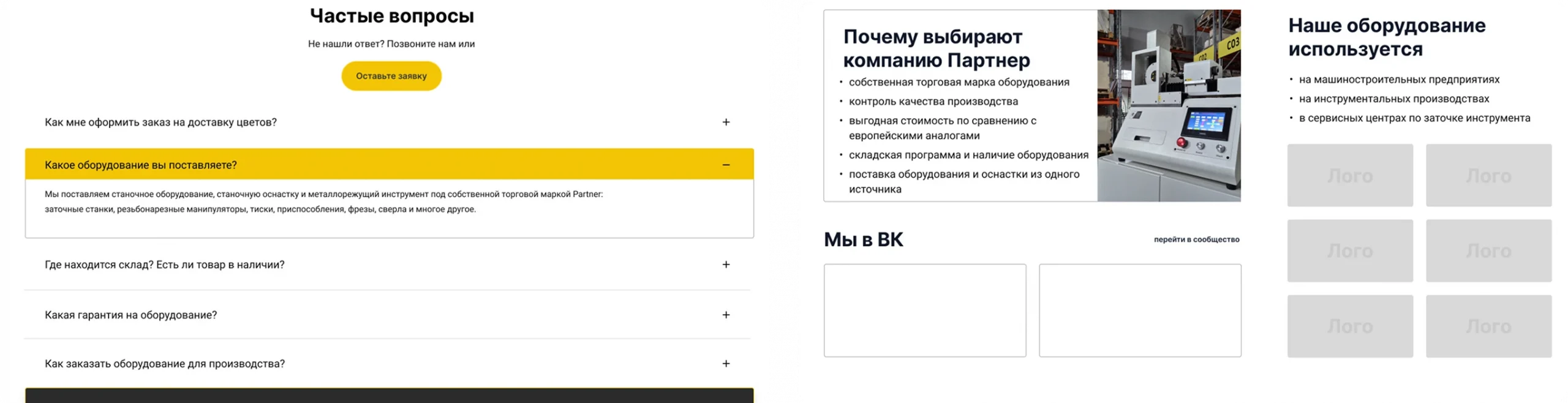
Following the Figma mockup, we updated key homepage blocks: the main banner, benefits block, “About the company” banner carousel, CTA banner blocks, a redesigned FAQ with improved contrast, and the “Why choose Partner” banner.
The “We on VK” section features a carousel of videos inserted by the administrator via the video widget code. Partner logos were turned into banners with a “Show all” button. The reviews block was redesigned to match the new layout. The update covered all product blocks on the site.
We implemented a slide-out menu (Fly Menu) with contact phones, social links, a “Catalog” section, and an additional menu. We simplified the main header to a logo, search bar, menu button, and phone button, and added a popup based on the reference.
A dedicated “Account” page: section menu on the left, selected section content on the right. We provided three ways to access it: via the “Account” link in the header, via the username, and via the adjacent icon.
Switching between a personal profile and added companies. When the profile changes, the content of all sections — contact details, my companies, my orders, bonus points, delivery address — rebuilds for the selected profile.
Full name, phone, and email are pulled from contact details. The buyer chooses whether to place the order as an individual or one of the companies. For legal entities, we added a file upload field with a custom style based on Store Locator.
Address addition via a popup with Dadata matching and a “Make primary” checkbox.
Address selection appears only for the “Discuss with manager” option, and legal entity data is passed to the standard “Request invoice” add-on.
A grid of 4 products per row, a filter by view period, a “Show more” button, and arrow-based pagination.
We changed the order of buyer type selection — legal entity first, then individual — removed the “profile type” label, and styled the choice as buttons with an oval outline and highlight.
We left “My reviews” and “My questions” in their current implementation; cart, favorites, comparison, and logout lead to the platform’s standard pages — with product counts shown directly on the tabs.
We made the “Delivery” item an expandable list, similar to payment methods, and added file upload for legal entities.
Switching between a personal profile and added companies. When the profile changes, the content of all sections — contact details, my companies, my orders, bonus points, delivery address — rebuilds for the selected profile.
Address addition via a popup with Dadata matching and a “Make primary” checkbox.
A grid of 4 products per row, a filter by view period, a “Show more” button, and arrow-based pagination.
We left “My reviews” and “My questions” in their current implementation; cart, favorites, comparison, and logout lead to the platform’s standard pages — with product counts shown directly on the tabs.
Full name, phone, and email are pulled from contact details. The buyer chooses whether to place the order as an individual or one of the companies. For legal entities, we added a file upload field with a custom style based on Store Locator.
Address selection appears only for the “Discuss with manager” option, and legal entity data is passed to the standard “Request invoice” add-on.
We changed the order of buyer type selection — legal entity first, then individual — removed the “profile type” label, and styled the choice as buttons with an oval outline and highlight.
We made the “Delivery” item an expandable list, similar to payment methods, and added file upload for legal entities.
For guest checkout, we implemented automatic hidden account creation: on repeat visits, the customer logs in via the provided email or phone and sees the order history — including the order placed without registration.
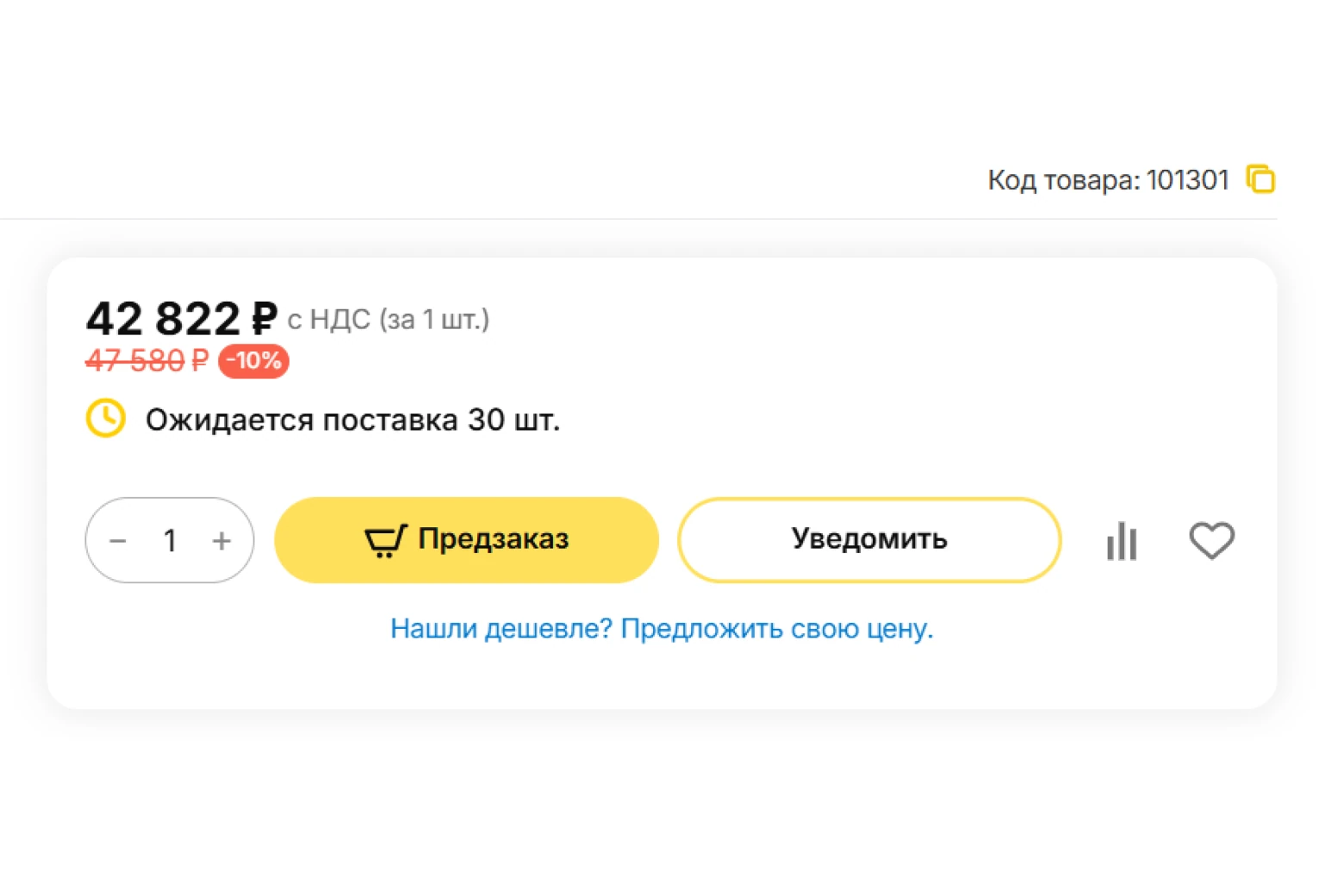
We expanded the transmission of product status information to the site: stock now accounts for confirmed deliveries from 1C (delivery management platform), and pre-order and “awaiting delivery” scenarios are separated.
Delivery expected (N) pcs
The item is out of stock, but 1C has a confirmed delivery — the site shows the actual quantity from the expected delivery.
Pre-order
The delivery is not confirmed — we show the standard status. For both statuses, the quantity picker allows adding an unlimited quantity to the cart.
For “Pre-order” and “Delivery expected” statuses, we replaced the “Buy in 1 click” button with “Notify me” — the standard subscription form — and added a separate “Pre-order” button next to it for normal cart addition.
In addition to the “Cart-Power: Registration by phone number with OTP” add-on, we developed the “Cart-Power: Extend ‘Login’ or ‘Registration’ functionality” add-on, which changes the site’s entire authorization approach.
Single email or phone field
If the user already exists in the store database, they receive a one-time code by email or phone — after entering it, they are logged in.
Three fields and a one-time password
Name, phone, email. After entering the data, a one-time password is sent to the phone: after validation, the new user is registered and logged in without a separate login step.
In the header, instead of “Login / Registration”, the username is displayed. The add-on is integrated with “Cart-Power: Profile types for users and sellers”: a new buyer receives a default profile type, which can be changed later.
Shared hosting
No performance or stability headroom for a growing catalog and add-ons.
FirstVDS dedicated server
Performance and stability headroom for further improvements — primarily speed optimization and growing load.
Alongside development, we run ongoing SEO work — from technical audits to preparing content for visibility in AI search.
Technical audits
Marketing and competitive analysis
Goal setup in Yandex.Metrica
Yandex.Business setup
Usability and commercial factors analysis
Image checks
Personal data policy work
FAQ blocks for visibility in neural search results
TARGETED WORK
A separate workstream focused on priority catalog categories in Google: some were technically visible in search but received no clicks due to weak titles and descriptions in the snippet. We rebuilt title and description for categories with the largest gap between impressions and clicks, and fixed service pages left open to indexing and duplicate URLs for some product cards.
RESULT
The result is already visible: some of the optimized categories not only rank well in Google but are also cited in the AI Overview block — confirming that the rewritten descriptions are picked up by both classic search and AI overviews. After improving commercial factors and category content, we recorded a noticeable conversion lift: in one month, completed inquiries grew by 39–70% depending on the traffic source.
01
Automated “Kits” add-on: price and stock recalculate without manual work, and 1C synchronization is processed through a queue with no data loss during bulk import.
02
A fully redesigned product page based on the cncmagazine.ru reference — with a brand block, documentation, reviews, questions, and an image previewer.
03
A new table view for products in categories, grouped by specification.
04
An updated homepage design on desktop and mobile — with blocks editable from the admin panel without developer involvement.
05
A full-featured account with separation into individual and company profiles, automatic registration of guest orders, and lookup of company details and addresses via Dadata.
06
Expanded stock logic accounting for confirmed deliveries from 1C, separate “Pre-order” and “Delivery expected” scenarios.
07
Simplified login and registration without passwords — via a one-time code to email or phone.
08
More stable site operation on a FirstVDS dedicated server and faster loading thanks to lazy-load, preload/prefetch, and image optimization.
09
Several catalog categories are already cited in Google AI Overview for relevant queries thanks to well-crafted SEO content, and a noticeable conversion lift in certain months confirms the effect of the commercial factors improvements.
We will add new growth and scaling opportunities to your business. We will extend the system’s functionality to match your business processes.

Share your idea and we’ll offer an optimal solution