






Two Way Radio Supply is an American online store from Ocoee (Florida). The company sells parts and accessories for radios, primarily for Motorola.
Industry field: Retail Country: US Website: twowayradiosupply.com
The client had four separate stores (twowayradiosupply.com, batteryclearance.com, batterydistributors.com, and batterybrokers.com), running on different versions of CS-Cart and managed from different admin panels. This created inconvenience: orders, products, customers, shipments, invoices and commissions had to be controlled separately. And to work with each store one had to switch between several systems.
01 Merge 4 stores into one CS-Cart Ultimate installation with four storefronts and a single admin panel.
02 Optimize logistics: shipments via UPS and FedEx, shipping warehouses, consolidated order queue for shipment.
03 Automate sales manager commission accounting.
04 Provide reporting on stock and warehouse cost.
05 Connect Google: product feeds, customer reviews.
06 Check store performance and create an optimization plan.
The main part of the project was merging the databases of all four installations into one. The client’s condition: lose nothing, that is, keep products, images and orders.
Each of the four stores became a separate storefront within one CS-Cart Ultimate installation. All products and categories kept their binding to the correct storefront.
Databases on versions 4.7 and 4.9 had to be brought to a common version. We first updated the store on 4.7.2.SP2 to 4.9, then merged the databases. Then we updated the installation to version 4.14.3.
Since IDs and product codes could overlap across databases, we performed the merge with separate collision checks. We moved all storefronts to UniTheme: two stores already used this theme, and we adapted the rest to it.
All custom modifications were preserved during the merge. If a modification existed in only one store and not in the others, we configured it during the merge to bind only to selected storefronts.
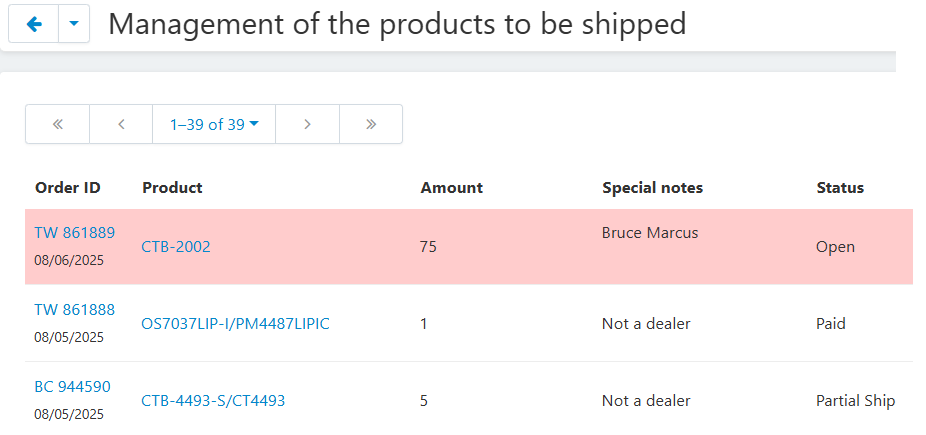
Before merging the stores, we developed an add-on that collected data from different servers and combined it into one consolidated table editable in a single admin panel. This removed the need to handle shipments in 4 different admin panels.
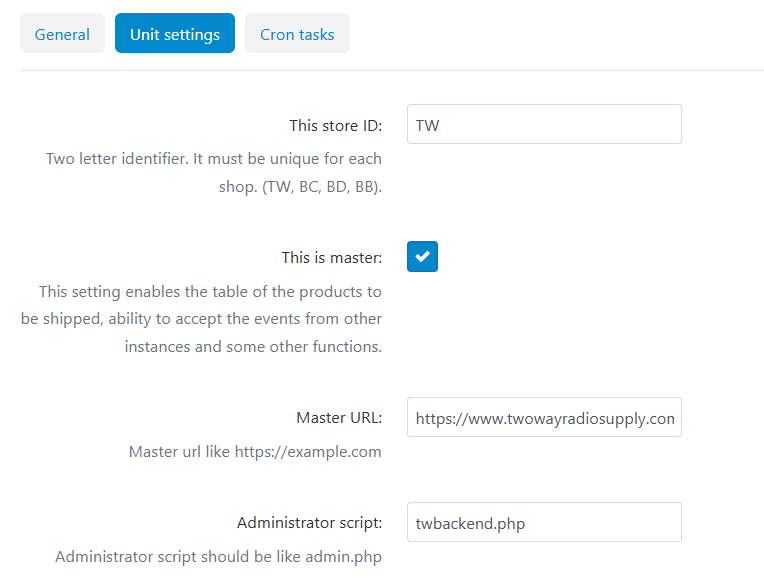
The add-on follows a “main store and secondary stores” model. Secondary stores send events to the main one, and the main store collects them in one database. twowayradiosupply.com is the main store.
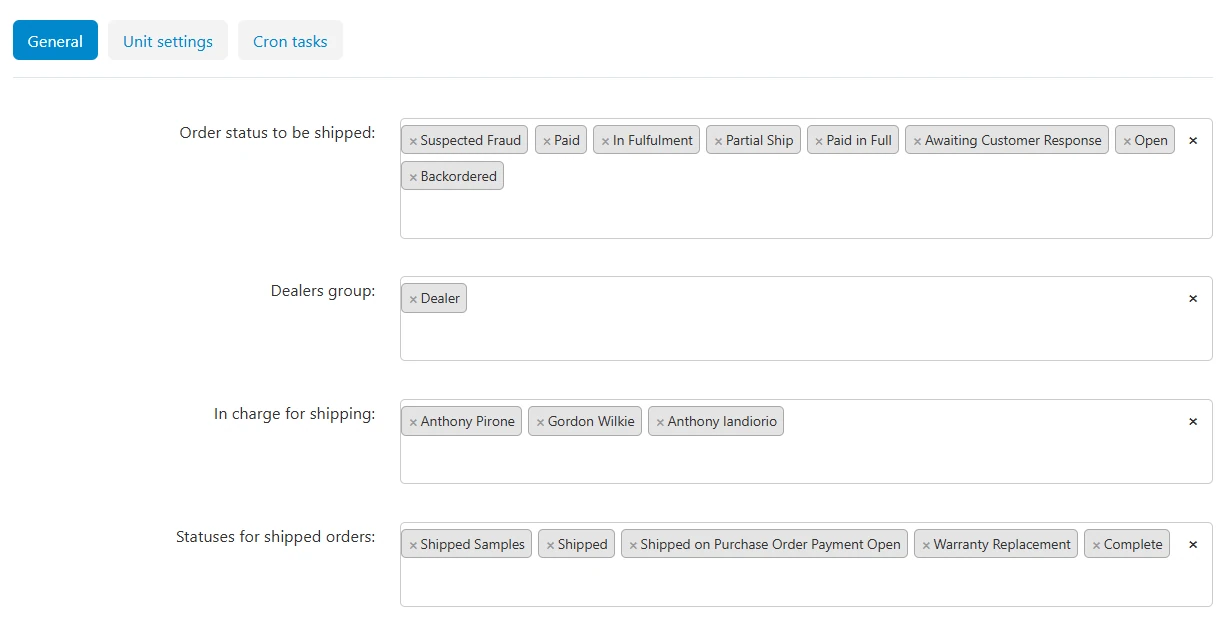
An order enters the table when its status changes to “to be shipped” and disappears when it changes to “shipped”. Product stock changes are also transmitted.
Since different CS-Cart installations used different order status systems, we developed status mapping. It ensures correct event synchronization between sites.
The order number consists of a two-letter storefront code and the original number, for example “TW 861888”.
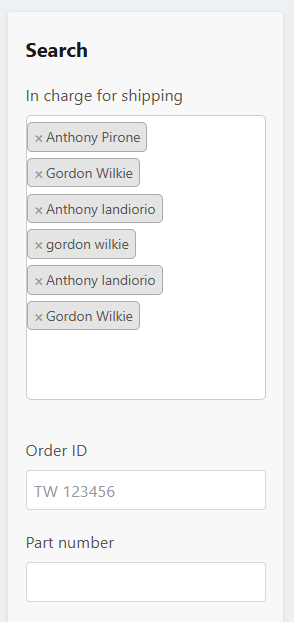
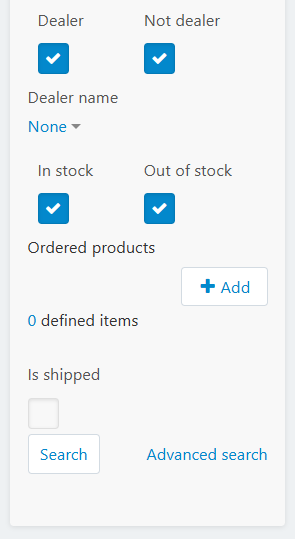
You can filter the order list by several parameters. This helps you quickly find the orders you need: by responsible employee, number, SKU, dealer or product availability. You can reset all filters with one “Clear” button.
Note: the person responsible for shipment is assigned automatically depending on the part category (brand).
Three cron jobs perform synchronization between sites.
Sending events to the main site
Receiving events from the secondary site
Transferring dealers to the main site
We improved shipment creation add-ons:
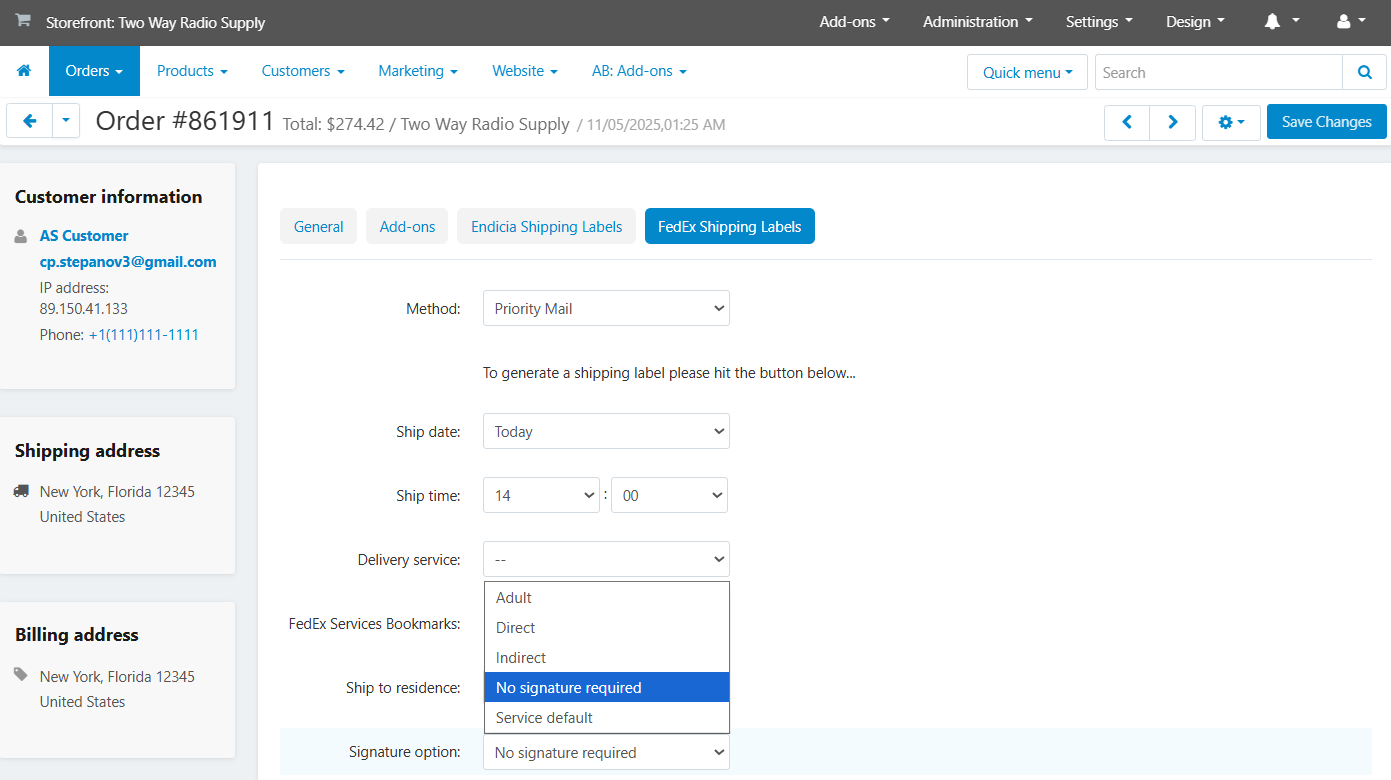
Extended UPS shipment creation. We added an extended UPS shipment creation tab similar to FedEx with manual filling of all fields (ship date, package type, dimensions, weight, service, declared value).
Signature confirmation. We implemented selection of Signature Required via UPS API.
Multiple boxes. We added support for multiple boxes in one shipment — up to 200 packages for UPS and up to 30 for FedEx, with a separate set of fields for each box.
Shipping warehouses. In “Stores and pickup points” we added an “Is a warehouse” checkbox and a zip code field. On the order tab, the administrator selects the shipping warehouse; the main store is selected by default. The selected warehouse’s address goes into the packing slip and FedEx/Endicia labels as the sender address.
Shipment invoice. On order and shipment pages, we added buttons to print the invoice and export it to PDF. Important: shipping cost and all cart promotions are included in the first invoice within the order. Subsequent shipment invoices are generated without them.
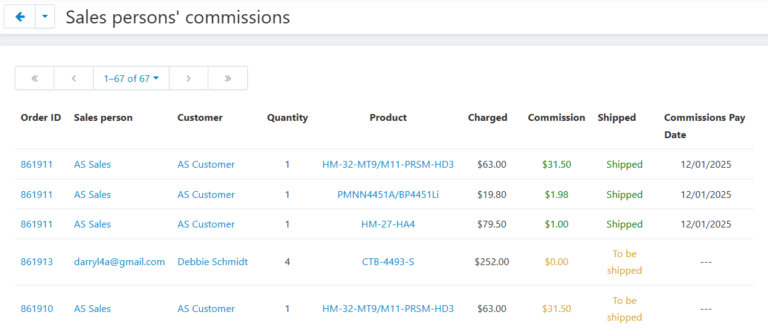
When a customer places an order, the add-on calculates the commission for each product in one of two ways:
The commission is confirmed only after the order is shipped and no longer changes from that moment. No commission is accrued for cancelled orders.
What this gives:
Admin: all charges are collected in one report. You can filter it by manager, customer, shipment status and payment period.
Manager: in the personal account on the site there is a “My Sales” page, where they see their orders, commissions and payment dates.
Store: no need to calculate commissions manually. Managers and the administrator work with the same numbers.
We developed an add-on that monitors orders that stay too long in one status and reminds the administrator and the customer about them.
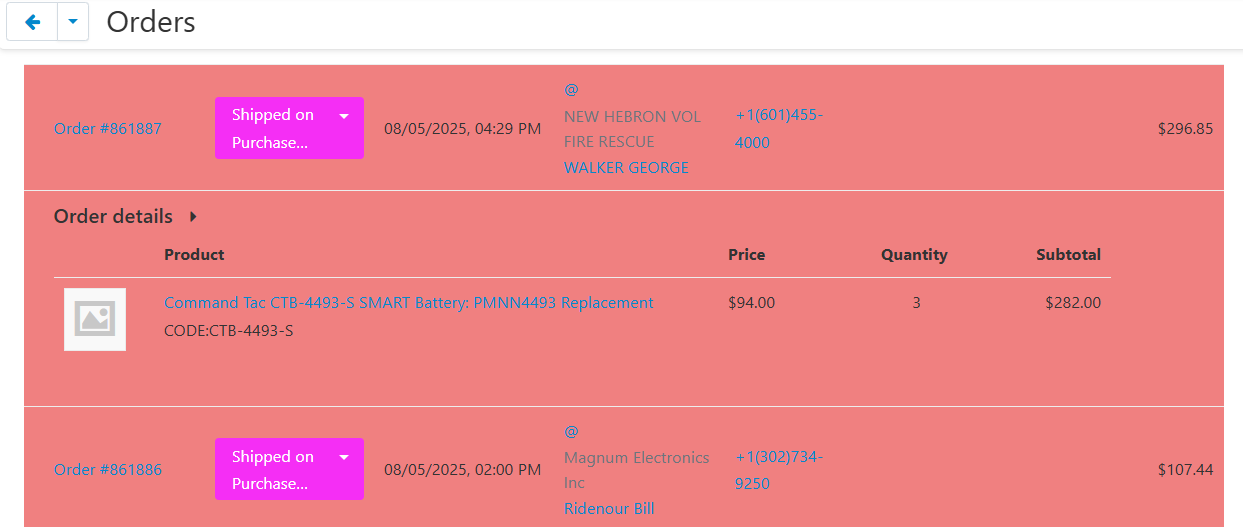
In the settings the administrator selects an order status, for example “awaiting payment”, and specifies after how many days the order is considered overdue. Once a day the add-on checks orders via CRON and sends emails: administrators receive a table of overdue orders, and customers receive a reminder about an unfinished order (with a button to go to the order details).
Overdue orders are also visible in the control panel:
If the order status changes, the countdown starts over.
We developed an add-on that automatically records the quantity of selected products in the warehouse and collects this data into reports. The reports in table form show dynamics for the last 7 days.
The administrator marks in the product card whether to include it in the report. Once a day the add-on saves stock for these products. Old records are deleted automatically after the number of days set in the settings, so the database does not grow.
The add-on adds two report pages. Both reports can be exported to CSV.
Stock report: a table with product quantities.
Stock value report: available only to administrators.
In the settings you select the field from which the address for the invoice copy is taken: the default payment address or any custom e-mail field.
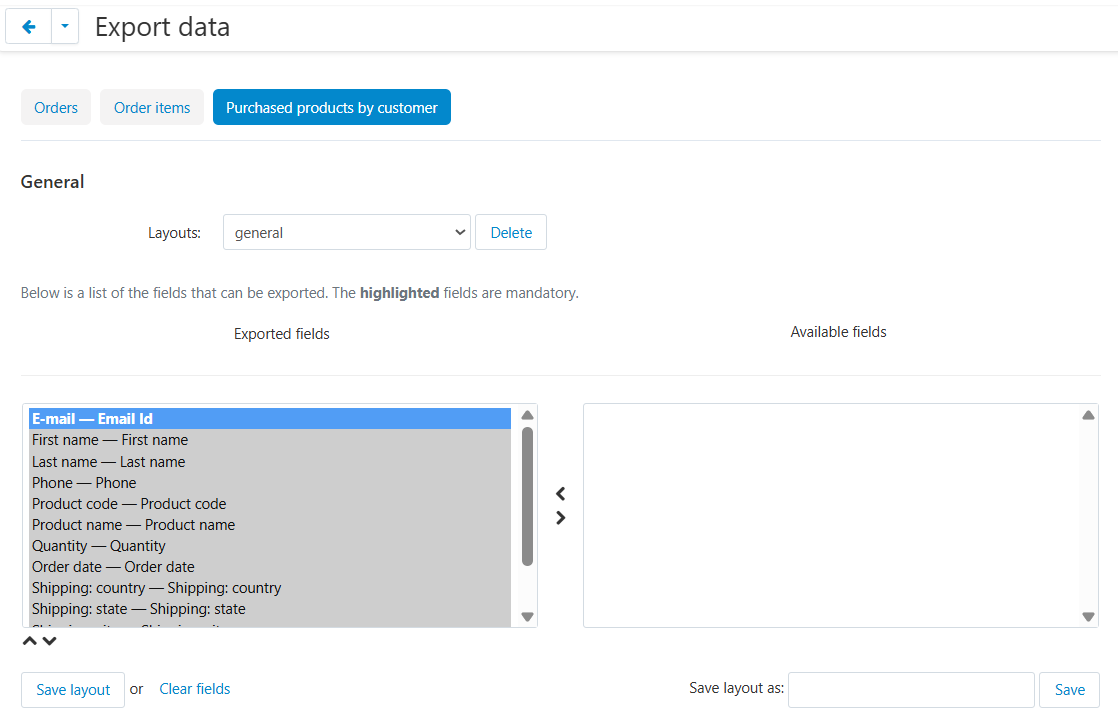
We implemented the “Purchased products by customer” tab on the data export page: setting exported fields, saving presets, exporting all orders or only selected ones.
Feeds for Google Merchant. We extended the feed add-on: transfer via SFTP, the server address can be specified together with the port. The phpseclib client library requires no additional PHP extensions. We set up cron for Google Feed generation.
Google Customer Reviews. On the order confirmation page, a consent form for a review is displayed. The merchant ID is set in the add-on settings. The request includes the order number, e-mail, country code, estimated delivery date (current date plus 5 days) and the product GTIN from the features if it is filled.
We conducted a performance audit and completed the recommendations:
We will add new growth and scaling opportunities to your business. We will extend the system’s functionality to match your business processes.

Share your idea and we’ll offer an optimal solution